How to Set Up and Use Subject Tracking on Fujifilm Cameras
Disclosure: This post may contain affiliate links. I earn a small commission of product sales to keep this website going.
Subject tracking on Fujifilm cameras has improved significantly in recent years, but getting the most out of it means understanding how the different layers work together. Here's a breakdown of everything from the foundational tracking mode through face detection and full subject detection.

Wide/Tracking AF Mode
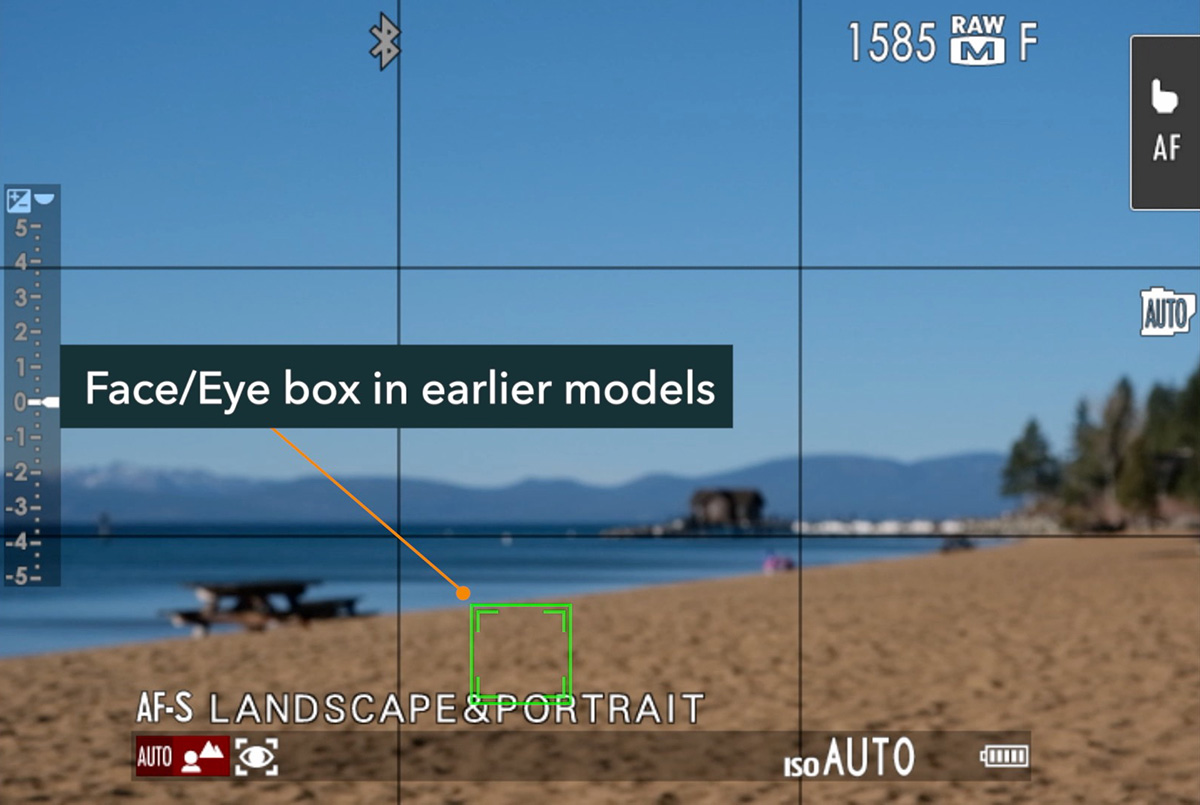
Wide/Tracking is the foundation of subject tracking on Fujifilm cameras. You'll find it in the AF/MF Setting Menu > AF Mode. Select it while in continuous autofocus (AF-C), and a small tracking box appears in the center of the frame.
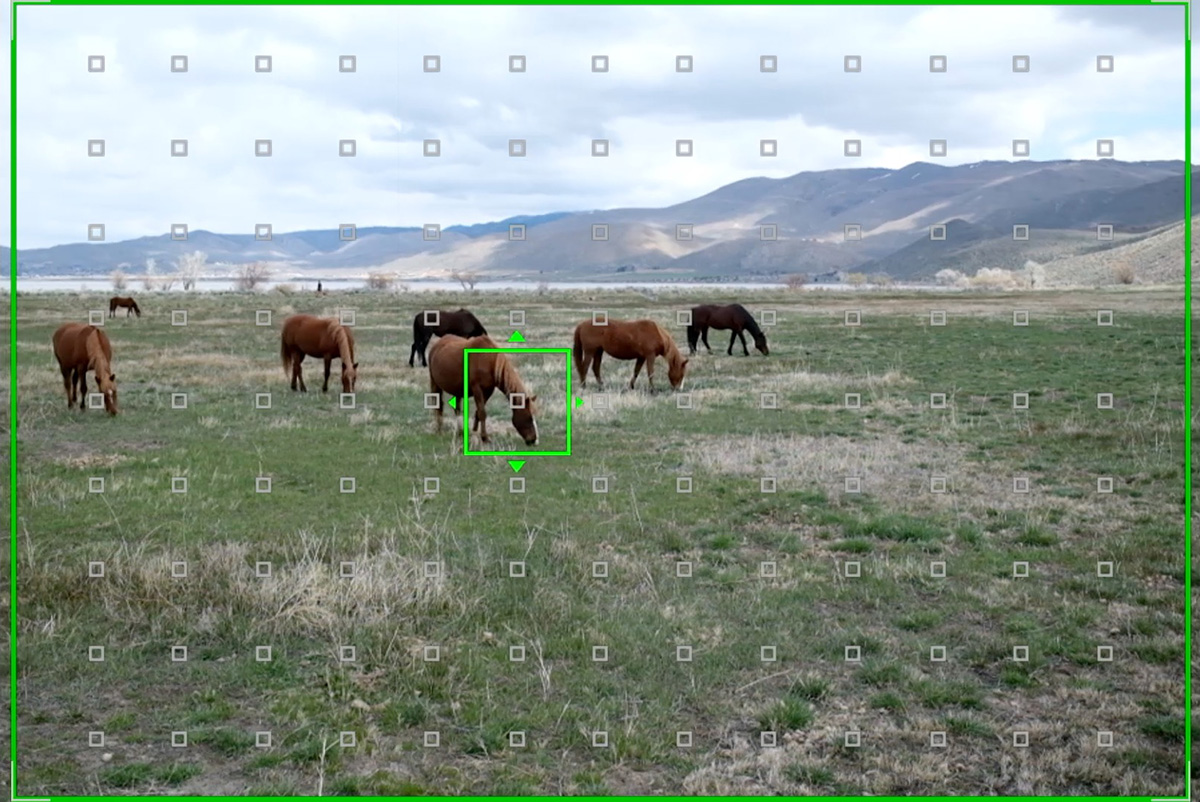
Move that box using the joystick, directional pad, or touchscreen to tell the camera where you want to start tracking. When you command autofocus, either via a shutter half-press or back-button focus, the box turns green, and the camera locks onto whatever is underneath it and follows it for as long as you hold the focus button.
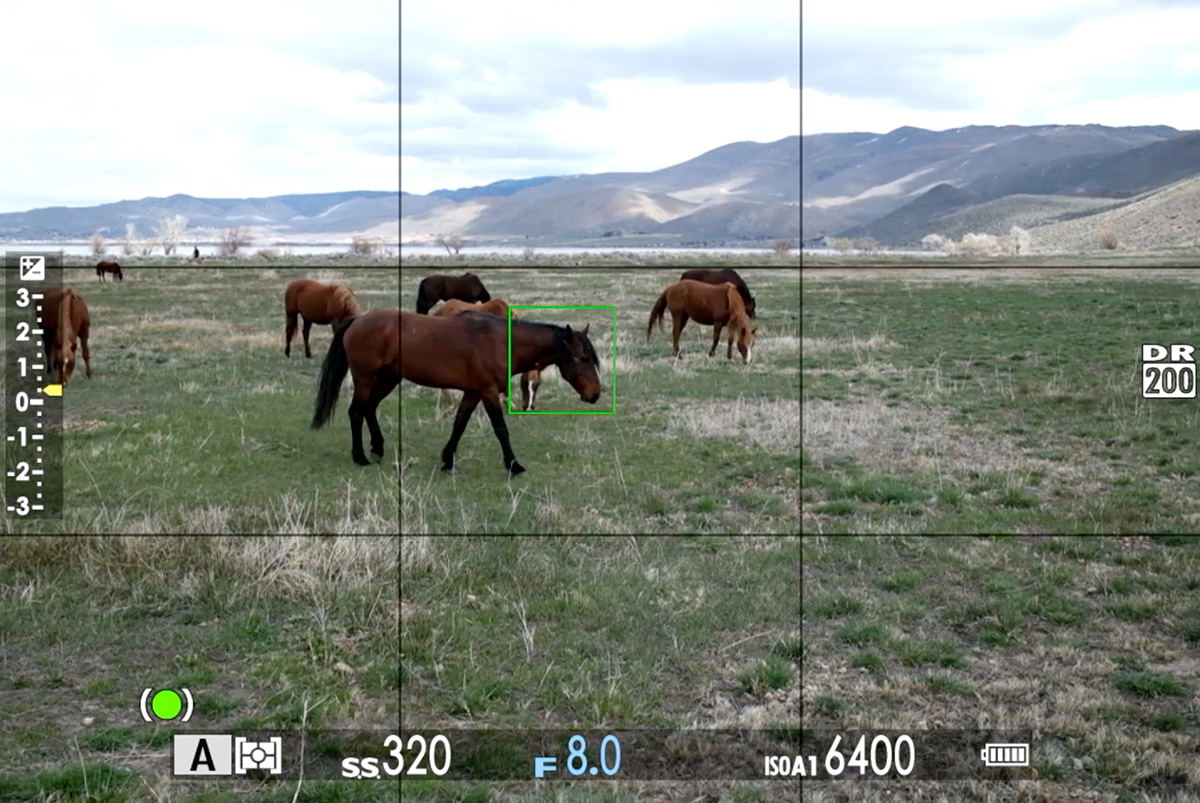
The subject can be anything: a person, an animal, a vehicle, or even a static point you want to stay locked on while recomposing. A few things to keep in mind:
- There needs to be decent contrast between your subject and the background.
- Good lighting helps significantly.
- If something passes between you and your subject, the tracking box may transfer to the new object.
AF-C Custom Settings
Also found in the AF/MF Setting Menu, the AF-C Custom Settings apply to all AF modes, not just Wide/Tracking. They control how the camera behaves when something new enters your focus area.
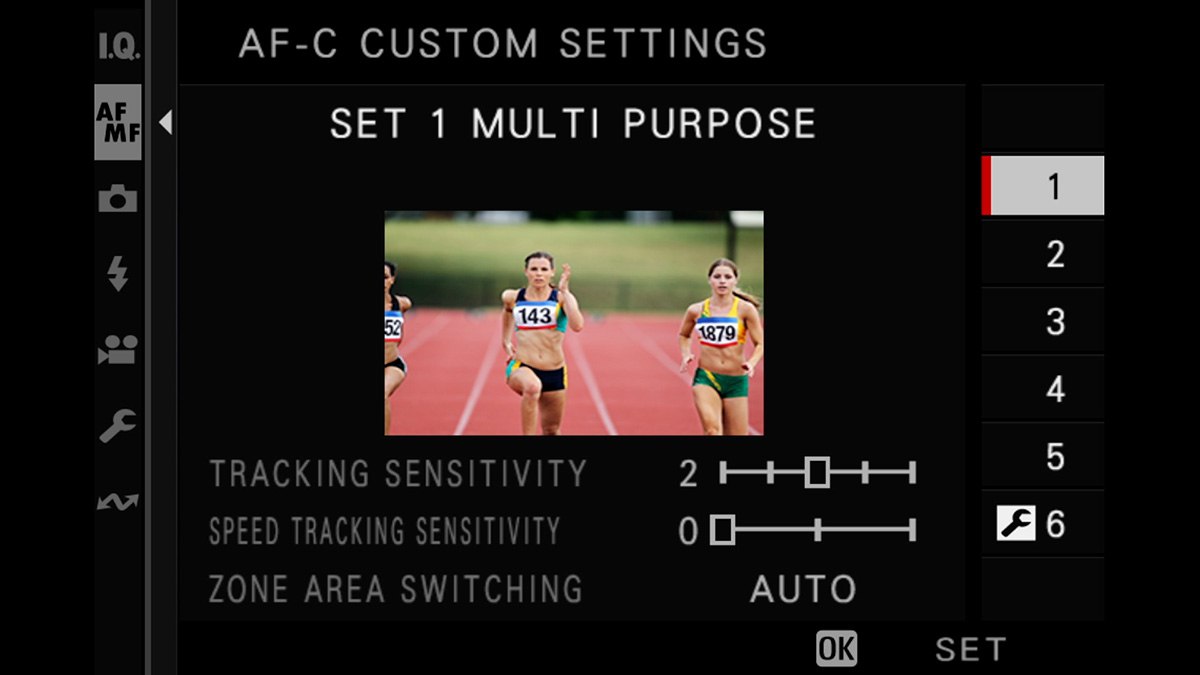
Fujifilm provides several presets with plain-language descriptions of what each is best suited for, which makes this menu easier to navigate than most. If you want to dial things in manually, select Custom at the bottom, and you'll find three individual settings:
Tracking Sensitivity controls how quickly the camera transfers focus to a new subject that enters the AF area. At 0 it switches immediately; at 4 it holds onto the original subject as long as possible. A higher value is useful for situations with obstacles passing through the frame.
Speed Tracking Sensitivity controls how aggressively the camera follows sudden changes in subject acceleration or direction. The default of 0 is a safe starting point. Setting it higher may improve tracking of erratic movement but can reduce overall accuracy in other situations. Leave it at 0 unless you're specifically shooting fast, unpredictable subjects.
Zone Area Switching only applies when using Zone AF mode. It tells the camera what to prioritize when something new enters the zone. Set it to the subject closest to the center, whatever the camera decides, or the closest object overall. The "front" option can be useful for sports where you always want to focus on the nearest athlete.
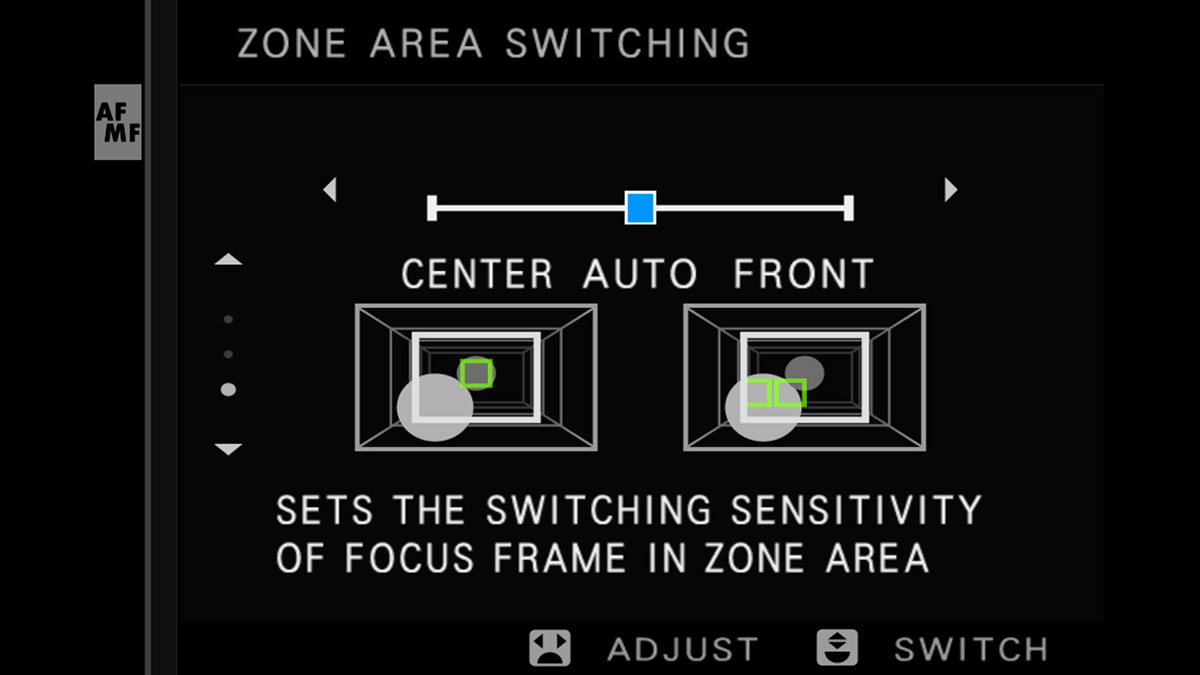
For most situations, Preset 1 is a reliable starting point.
Face and Eye Detection
All Fujifilm X and GFX series cameras include face and eye detection, found in the AF/MF Setting Menu. This works as an additional layer on top of your chosen AF area mode. Get your focus area near a person (it doesn't need to be exactly on them) and the camera will recognize the face, narrow to the head, and then lock onto an eye if one is detected.
Eye priority options:
- Eye Auto: the camera selects whichever eye it judges to be closest based on apparent size
- Left Eye / Right Eye: forces priority to a specific eye when both are visible
- Eye Off: detects the face or head only, without prioritizing an eye
If multiple people are in or near your focus area, you can use the joystick or touchscreen to switch between subjects. How this works varies by camera model. Check your manual or the corresponding Fujifilm course for the specifics on your camera body.
For precise control over which person you track, start with Single Point AF placed near your subject and command autofocus. In AF-C, the camera will continue tracking that person across the frame even after they move away from where the focus point was. For subjects moving more freely, a Zone mode gives you a larger initial detection area.
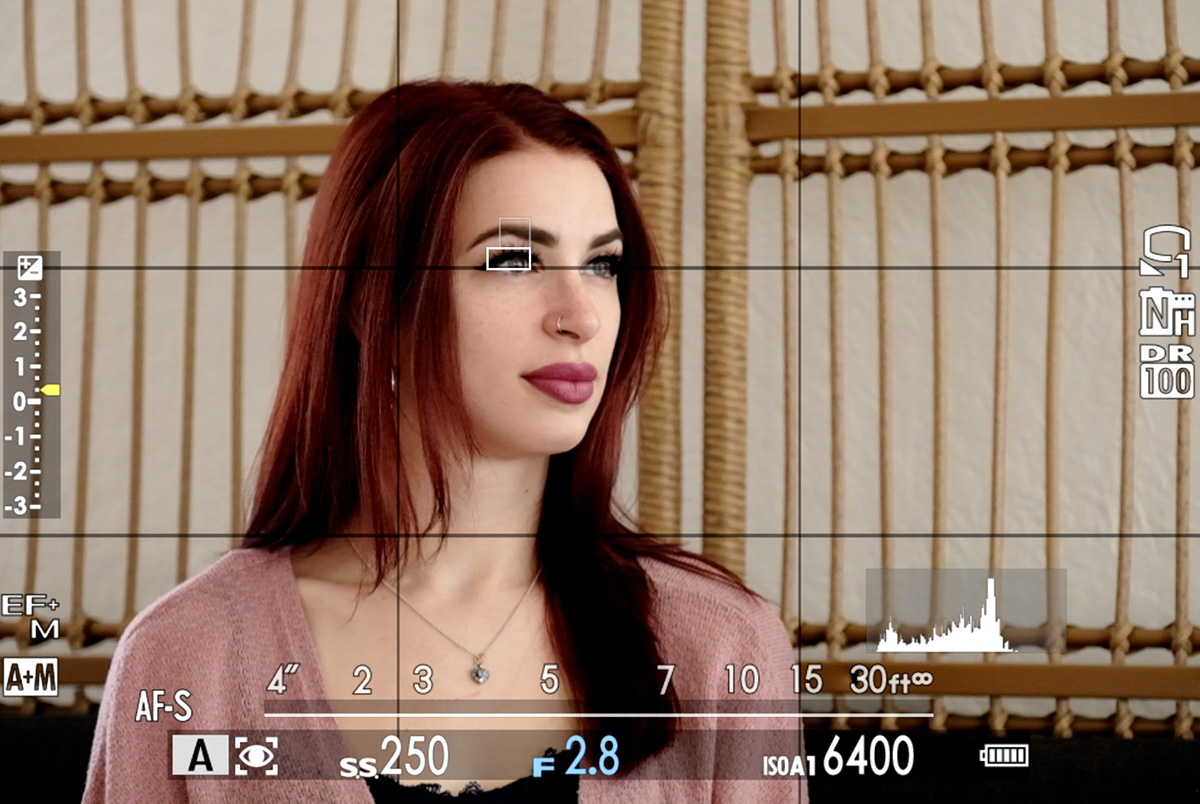
Limitations to be aware of: Face detection struggles with hats, glasses, hair across the face, shadows, and subjects that are too small in the frame for the camera to confidently recognize.
Subject Detection
Newer Fujifilm cameras add Subject Detection immediately after face and eye detection in the AF/MF Setting Menu. This extends AI-based tracking to non-human subjects. Available subject types include:
- Animals
- Birds (also used for insects)
- Cars
- Motorcycles
- Airplanes (also used for drones)
- Trains
When a subject is detected, the camera follows the same refinement process as face detection. It starts with a box around the whole subject, narrows to the head, then to the eye or cockpit or driver, depending on subject type. For trains and planes, it attempts to identify and prioritize the front.
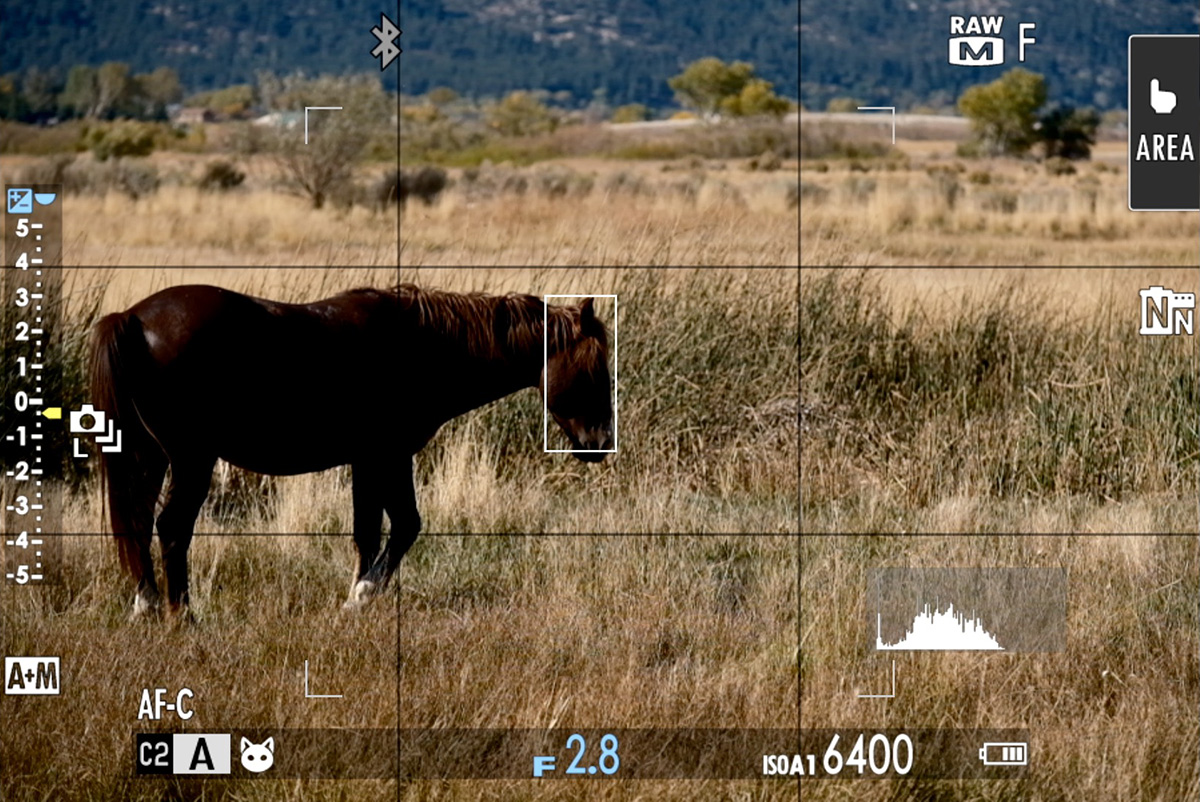
A few important notes:
- Subject Detection and Face/Eye Detection are mutually exclusive. Enabling one automatically disables the other.
- If multiple subjects of the same type are detected, use the joystick or touchscreen to select the one you want.
- Detection can fail in low light, when subjects are partially obscured, or when the AI simply can't confidently identify the subject from its shape or context. Getting closer and ensuring good light sets you up for better results.
- These modes use AI pattern recognition, which means the camera can occasionally think it sees a subject when there isn't one. For that reason, it's best to enable subject detection only when you're actively shooting the subject type you've selected. Otherwise, the focus box may wander unexpectedly when you command AF. Same for face/eye detection.
Quick Access and Custom Controls
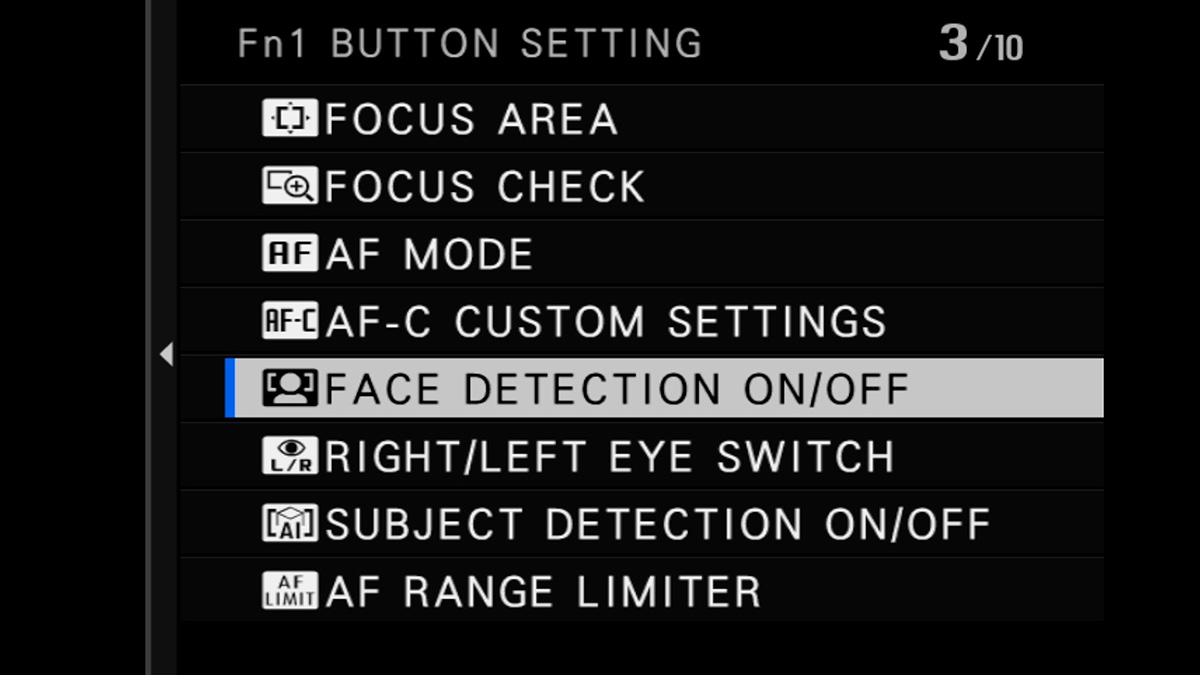
Any of these settings - subject detection on/off, face and eye detection on/off, left/right eye toggle - can be assigned to a custom control button for instant access while shooting. They can also be added to the Q menu for quick selection without digging into the main menus.
How It All Fits Together
Think of Fujifilm's tracking system as different layers you can stack:
Wide Tracking is the foundation. It tracks whatever is under the box in AF-C, regardless of the subject type.
Face/Eye Detection adds intelligence for people, automatically finding and refining to faces and eyes within or near your focus area.
Subject Detection extends that same intelligence to animals, vehicles, and other subject types.
AF-C Custom Settings run underneath all of it, dictating how the camera behaves when tracking is disrupted by new objects entering the frame.
The system has come a long way, but it's still not magic. It only works for photographers who understand what each layer does and when to use it. So be sure to get out there and practice in the conditions you normally shoot in.
To learn more about your specific Fujifilm camera, check out my Fujifilm tutorial courses (use "blog20" for 20% off).