The Hidden Limitations of Fujifilm's Electronic Shutter
Disclosure: This post may contain affiliate links. I earn a small commission of product sales to keep this website going.
The electronic shutter on Fujifilm cameras appeals to many photographers. It's silent, vibration-free, and can offer faster shutter speeds & burst rates than a mechanical shutter. But significant limitations can ruin your images if you're not aware of them. Here's what those limitations are, and when the electronic shutter is - and isn't - the right choice.

The Root Cause: Rolling Shutter
With a mechanical shutter, a physical metal curtain moves across the sensor at high speed, exposing the entire sensor to the scene almost instantly. That's why motion is frozen cleanly with no distortion.
The electronic shutter works differently. The sensor is read out line by line, from top to bottom, rather than all at once. Even at a fast shutter speed like 1/500s, the total time to read the entire sensor is longer than that (about 1/20s), because of this sequential readout. If anything in the frame is moving during that readout window, it ends up in a slightly different position in each successive line. The top of a moving subject is captured at a different moment than the bottom.
This is commonly called rolling shutter, and it's the root cause of both major problems covered below. The effect becomes more pronounced with faster-moving subjects and with larger sensors, like the GFX medium format cameras.
Problem #1: Warping and Skewed Lines
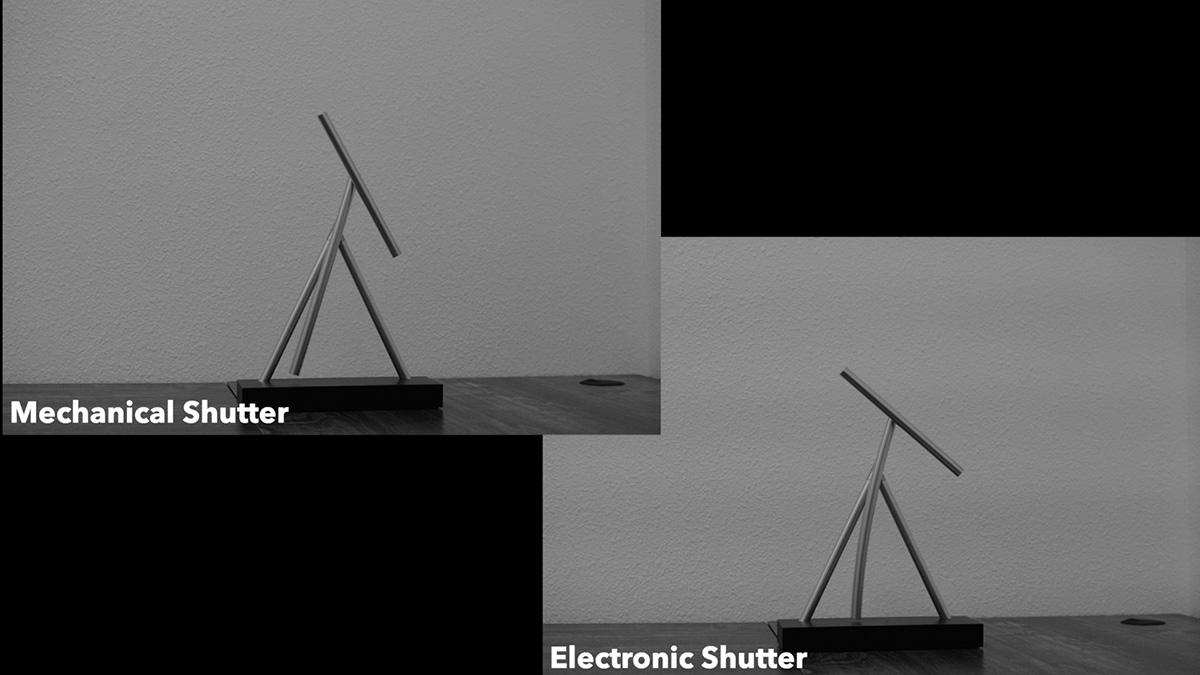
Because each line of the sensor is captured at a slightly different instant, fast-moving subjects, especially vertical ones, can appear distorted, warped, or skewed in the final image.
Here's an example: I was photographing a straight, vertical steel bridge trestle from a moving train. Shot with the electronic shutter (chosen deliberately for silence, given other passengers nearby), the trestle appeared skewed rather than vertical, because the high relative motion between the train and the bridge shifted its apparent position between each line of sensor readout. Switching to the mechanical shutter on a later pass over the same bridge produced a correctly vertical trestle, since the mechanical shutter exposed the entire frame at essentially the same instant in time.
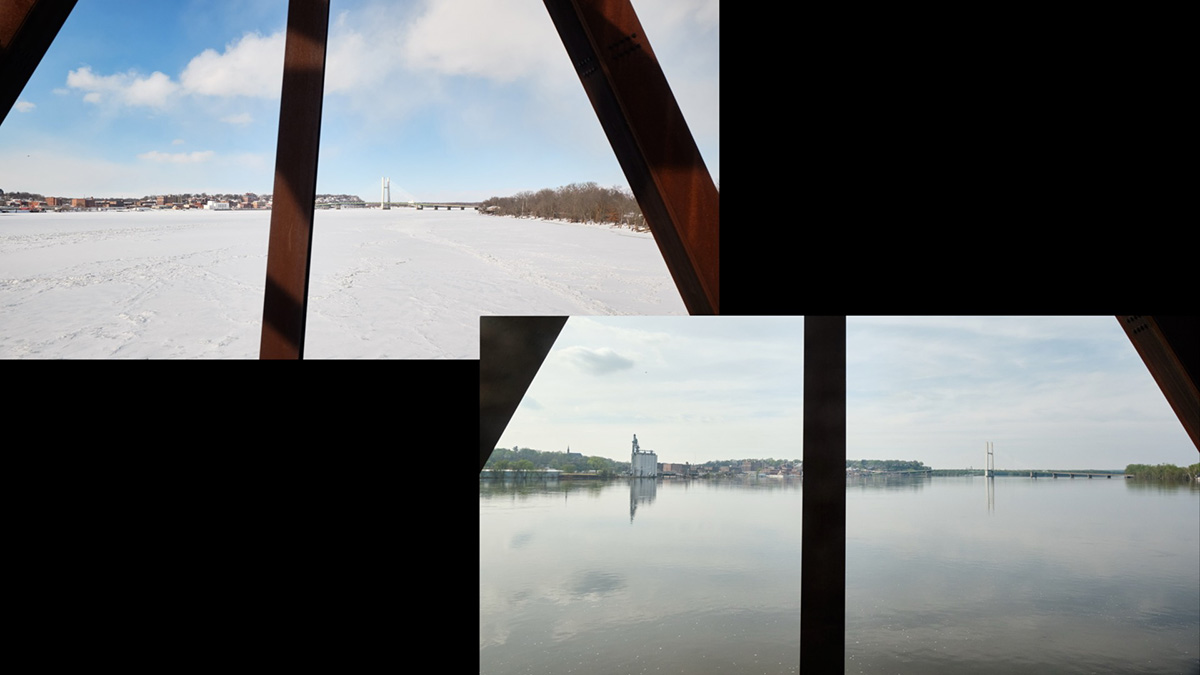
The same principle applies to any fast-moving or spinning subject. The faster the motion, the more pronounced the distortion.
Problem #2: Banding Under Artificial Light
The second major issue shows up under artificial lighting that cycles. Fluorescent lighting and some LED sources are common in event spaces, gyms, and offices. These lights cycle on and off in sync with the power grid (60 Hz in the US), far faster than the human eye can perceive.
But the electronic shutter's line-by-line readout is slow enough, relatively speaking, to catch that cycling. As the sensor reads from top to bottom, some lines are captured while the light is on and others while it's off, creating visible banding across the image.
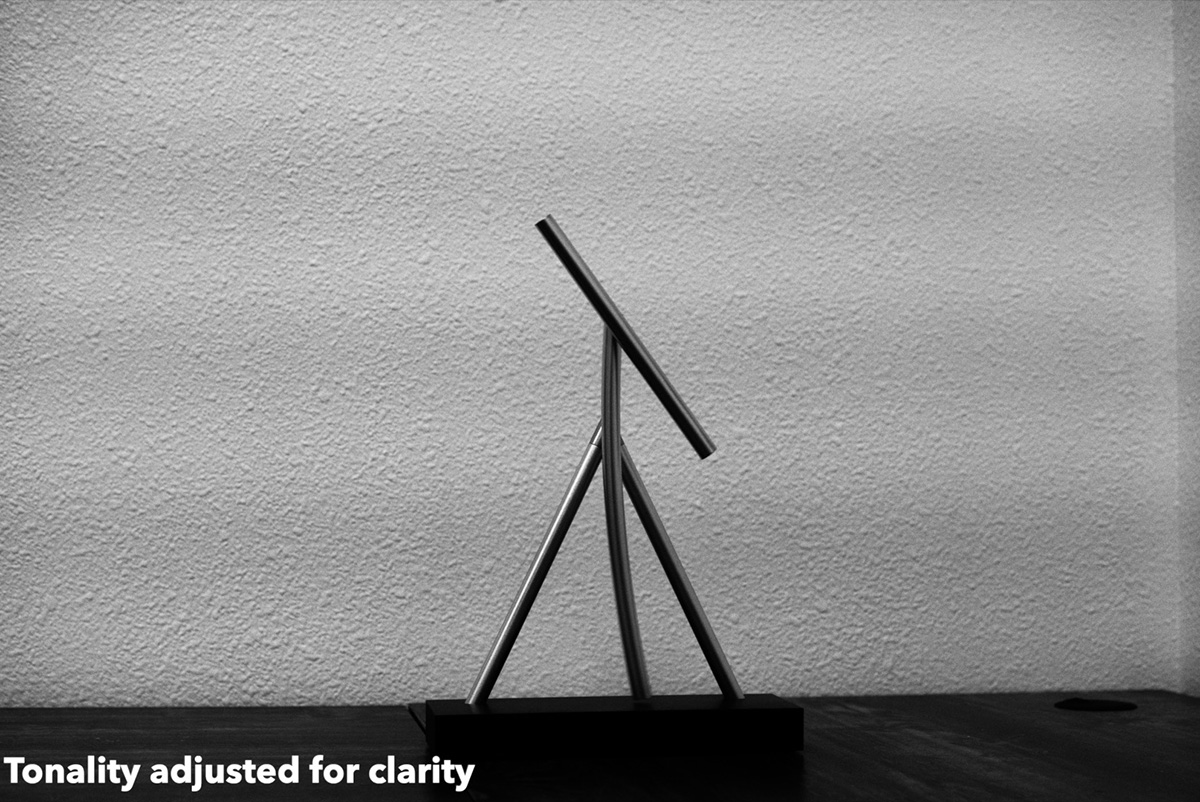
Flicker reduction won't save you here. This setting exists specifically to compensate for that kind of banding, but it's not available with the electronic shutter. It only works with the mechanical shutter or electronic front curtain shutter. If you're shooting under cycling artificial light with the electronic shutter selected, you can't eliminate the banding; you'll need to switch shutter types.
When the Electronic Shutter Is a Good Choice
Despite these limitations, there are genuinely good reasons to use the electronic shutter, like in churches, museums, wildlife photography, or any situation where silence matters. The key is making sure the conditions are right: no significant subject or camera motion and no cycling artificial light in the scene.
Quick Ways to Switch Shutter Types
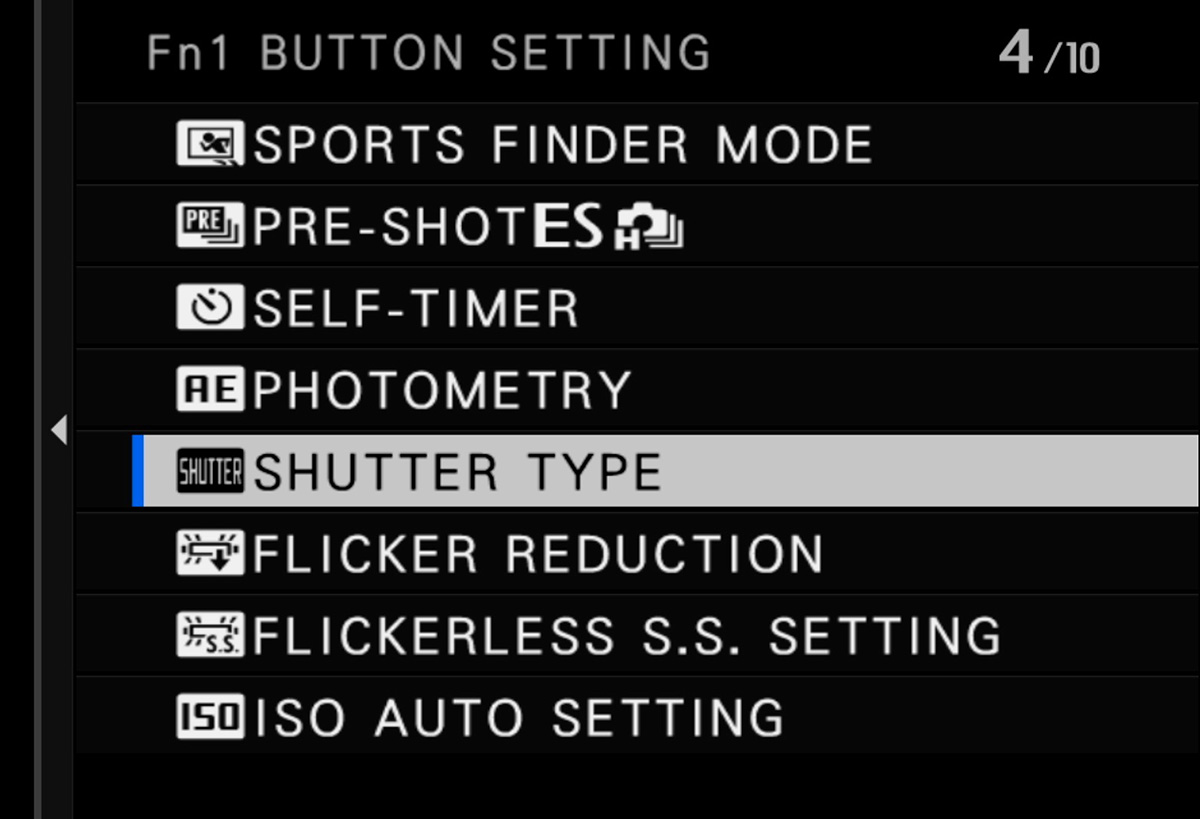
Since you'll want to switch back and forth between shutter types depending on the situation, you might want quick ways to do it. Fujifilm gives you three options:
- Custom Function/Control: From shooting mode, press and hold the DISP/BACK button to reach the programming screen, then assign Shutter Type to a control.
- Q Menu: Press and hold the Q button to reach the Q menu programming screen, then add Shutter Type.
- Custom My Menu: Add Shutter Type to your own custom menu for quick access.
Double-Check Your Custom Settings and Recipes
If your camera was released since roughly 2021, shutter type is saved as part of your custom settings and film recipes. When creating or editing a custom setting, make sure to check what shutter type is saved to it. You don't want to load a custom setting expecting the mechanical shutter and discover it's actually configured for electronic shutter (or vice versa) when that matters.
One More Limitation
Flash photography is not available when the electronic shutter is enabled. This won't affect most photographers, but it's worth knowing if you ever need to combine flash with a silent shooting requirement. To use flash, you'll need to switch to the mechanical shutter.
If you want to learn more about your specific Fujifilm camera, including menu walkthroughs, focus systems, exposure modes, and more, check out the Fujifilm camera tutorial courses. Use code BLOG20 for 20% off.