Fujifilm Classic Chrome vs Eterna: Real-World Comparisons
Disclosure: This post may contain affiliate links. I earn a small commission of product sales to keep this website going.
Classic Chrome and Eterna are both popular documentary-style film simulations, but they couldn't be more different in how they render a scene. Choosing between them comes down to understanding those differences. Here's a breakdown based on side-by-side comparisons across a range of shooting situations, all done using Fujifilm's in-camera RAW converter rather than any third-party presets.

Contrast: Classic Chrome vs Eterna
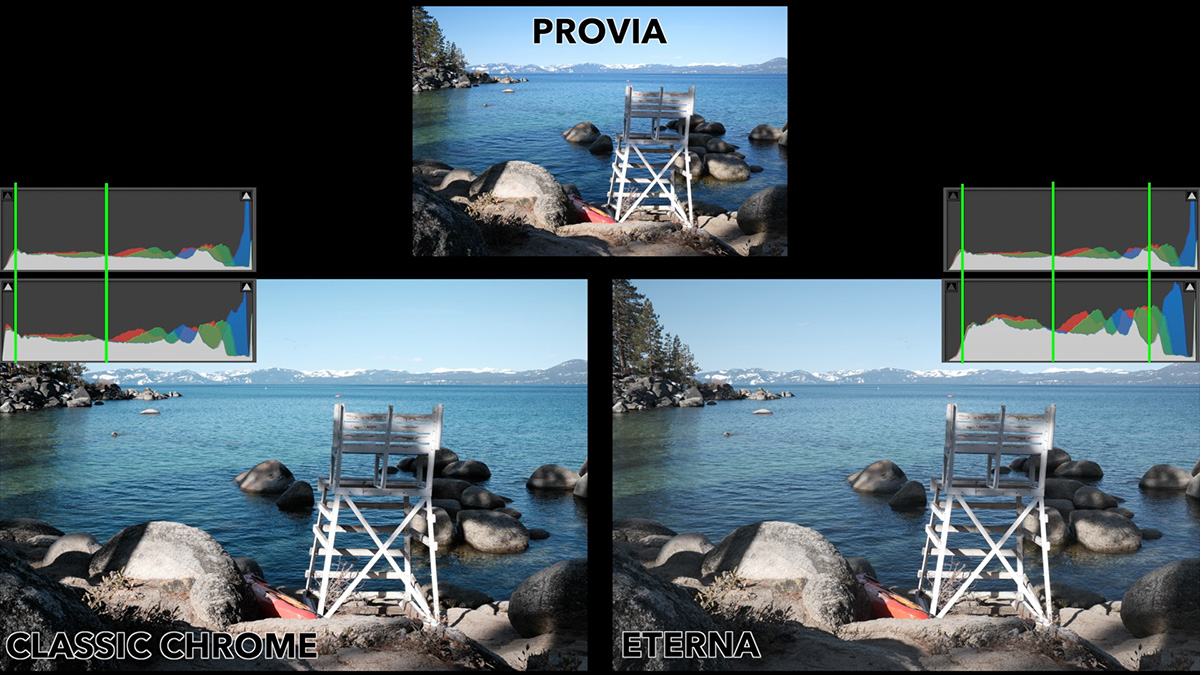
Compared to Provia (Fujifilm's standard, true-to-life simulation), Classic Chrome stays fairly close in overall contrast. It introduces a bit more shadow depth, but the histogram range is more or less the same as Provia's.
Eterna is a different story. Its histogram gets pulled in toward the middle. Both highlight and shadow contrast compress, and the image loses the "pop" or three-dimensional feel that Provia and Classic Chrome retain.
This becomes especially clear in scenes with a wide tonal range. In a landscape with both blown highlights and deep shadows, Classic Chrome pushes the already-deep shadows even deeper, losing more detail there. Eterna, by contrast, reveals significantly more shadow detail thanks to its low shadow contrast. It's worth noting, however, that Eterna can't do anything about highlights that are already clipped. If they're blown out, they stay blown out regardless of simulation.
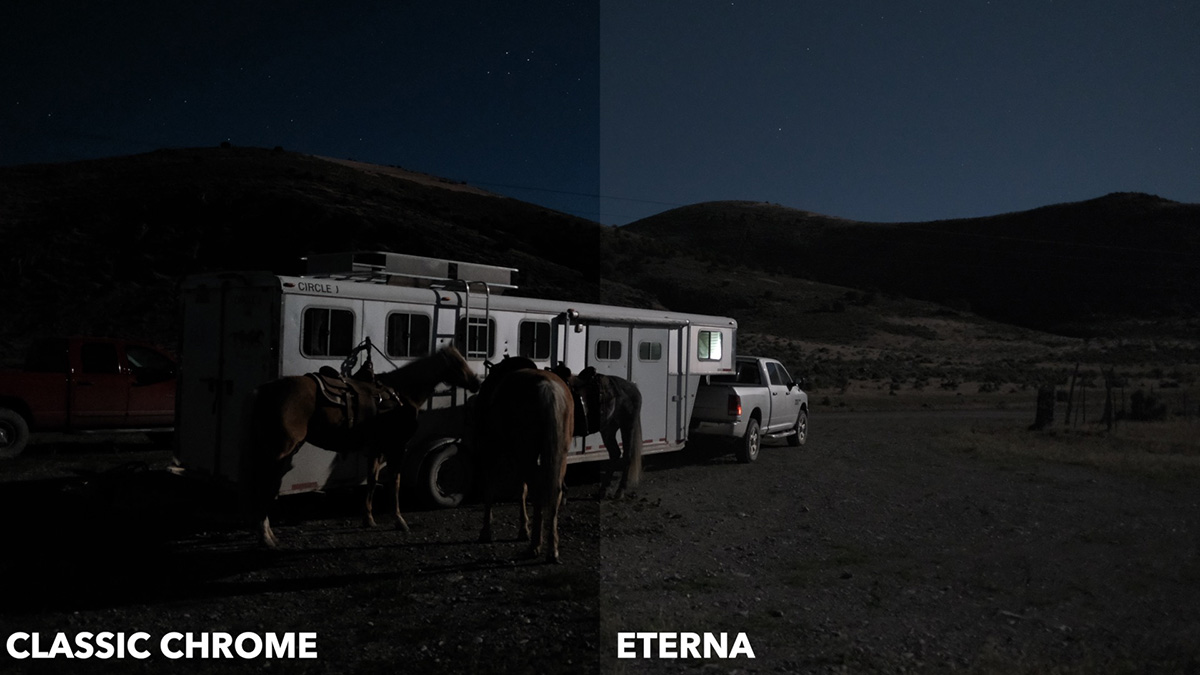
The difference is most dramatic in low light. In a night scene lit only by moonlight, switching to Classic Chrome crushes the shadows even further; most of the frame goes nearly black except for the brightest highlights. Switching to Eterna instead reveals substantially more detail in the same dark areas. You can see texture in shadowed subjects and detail in a background that was otherwise invisible.
Color: Both Desaturate, But Eterna Goes Further
One of the most noticeable shared traits between these two simulations is what they do to blues. Both Classic Chrome and Eterna shift blue hues toward cyan compared to Provia. Classic Chrome desaturates blues somewhat versus Provia; Eterna applies less of a cyan shift but desaturates even more.
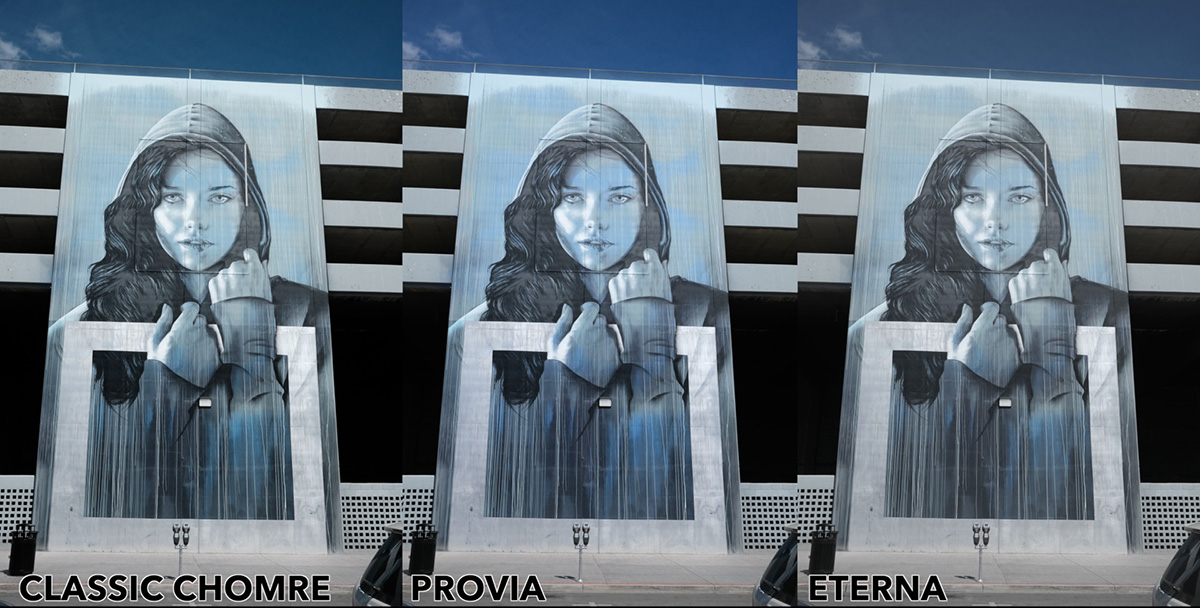
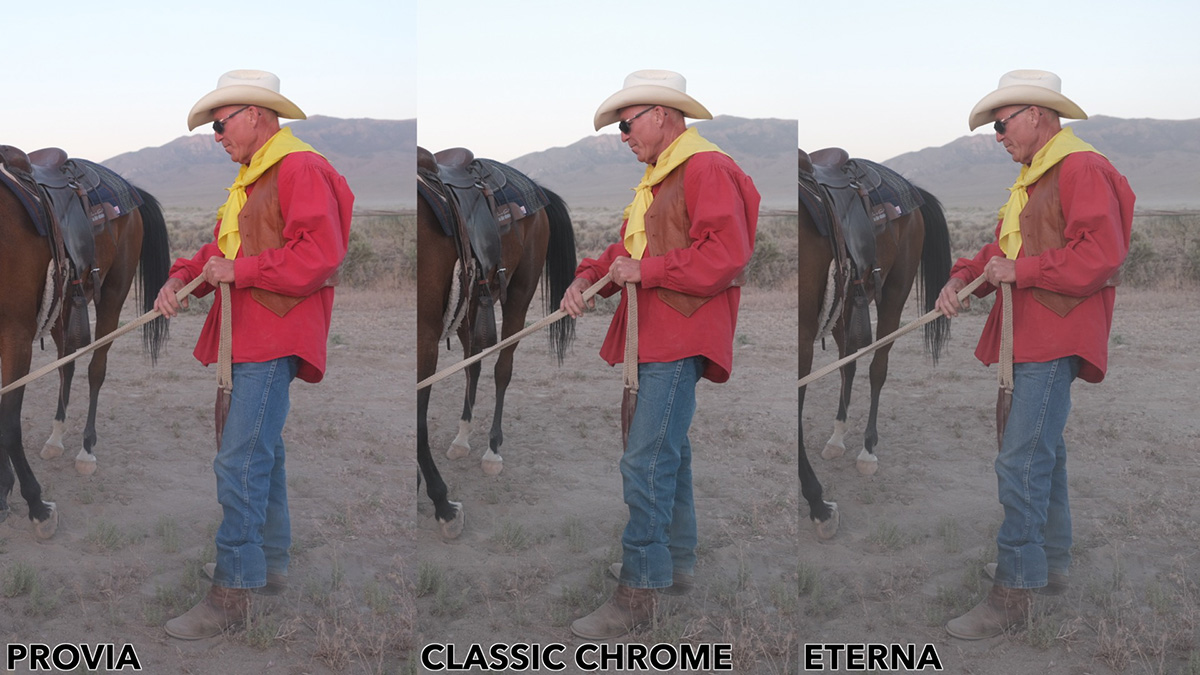
This level of desaturation applies to all colors. Both simulations subdue color overall compared to Provia, but Eterna subdues it more than Classic Chrome does. As documentary-style simulations, both are designed to keep color from distracting from the story in the frame. When colors are more muted, viewers tend to focus more on the subject and less on the color itself.
In a scene with a few strong colors, like this red shirt, yellow bandana, and blue jeans, Classic Chrome pulls down the saturation across most of those colors while leaving the blues comparatively close to their original state. Eterna pulls this down further still. Colors are flatter overall, and even strong colors like that bright red shirt lose noticeable brilliance compared to Provia.
You'll see the same in a sunset scene: Classic Chrome desaturates the sky's magentas and oranges but keeps contrast close to Provia's, so bright areas can still approach clipping. Eterna softens the contrast gradient even further, resulting in a much flatter sky, but with more visible shadow detail in the foreground.
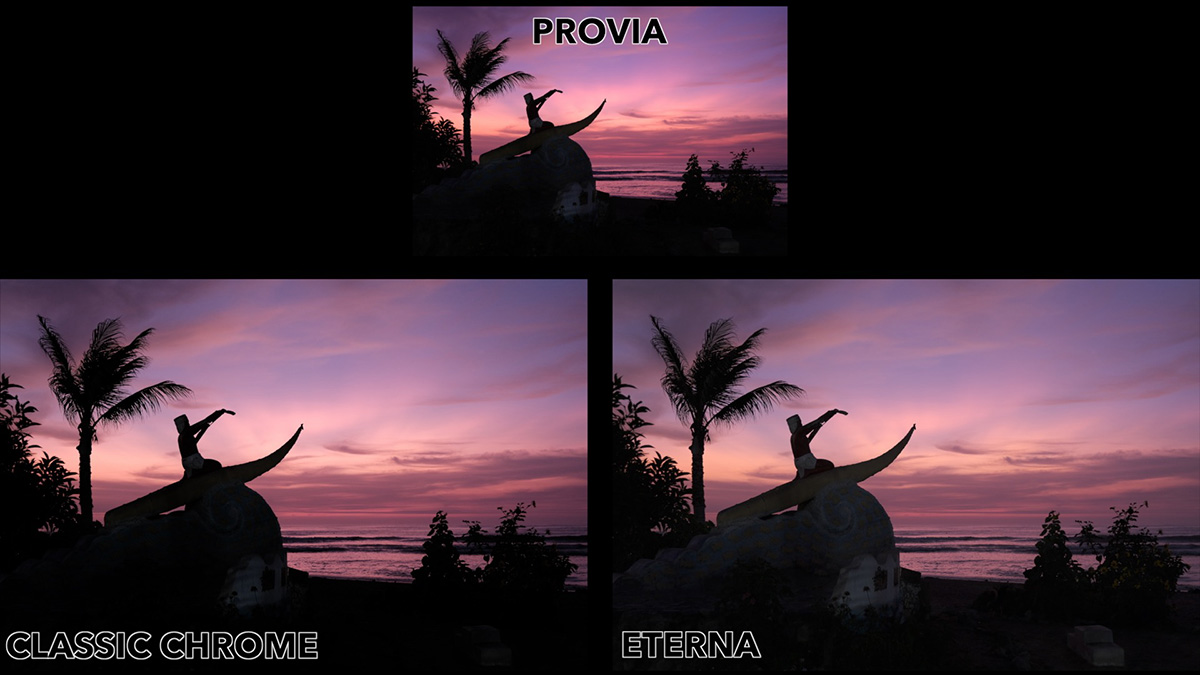
Mood: Classic Chrome Can Feel Cold
Beyond the technical differences, these simulations create genuinely different emotional impressions. Classic Chrome's shift toward cyan gives images a distinctly cooler, colder feeling. This is useful when you want a photo to feel that way (a cold-weather scene, for instance, benefits from that added chill). Eterna carries a similar cooler quality from its own cyan shift, but combined with its flatter contrast, the effect feels more muted than cold.
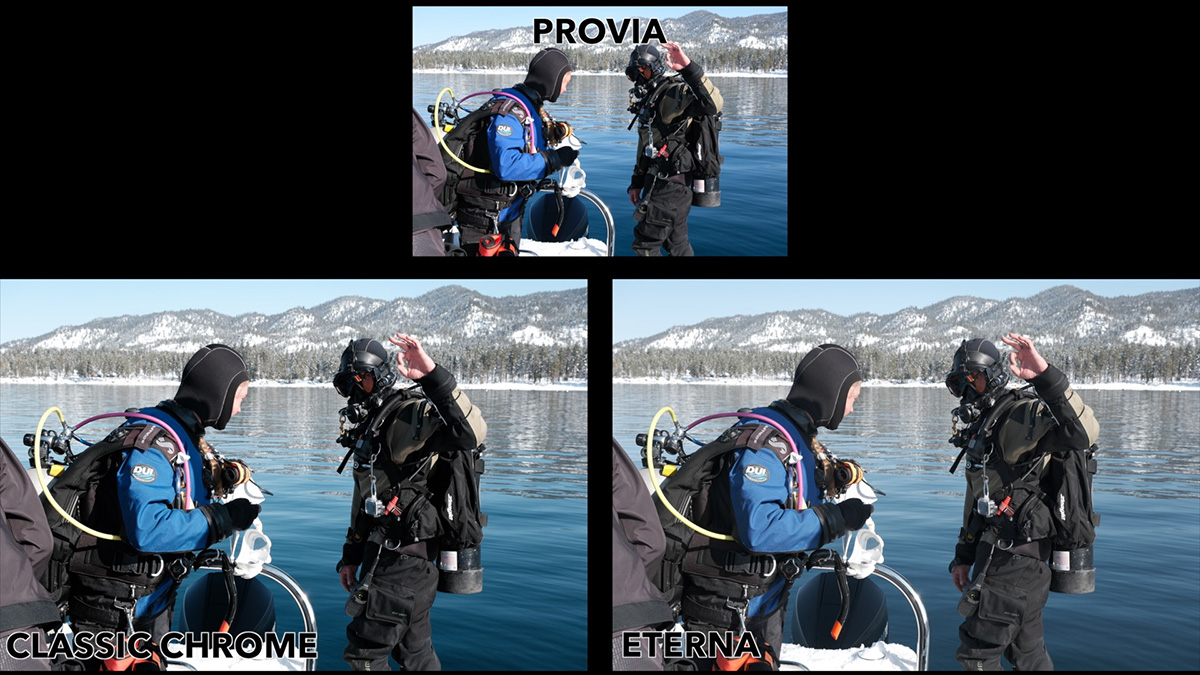
For comparison, simulations like Nostalgic Neg or Classic Neg push in the opposite direction, toward warmth.
The JPEG Editing Advantage of Eterna
Eterna may feel impractical due to its extremely flat contrast and color. But because Eterna preserves so much highlight and shadow detail rather than crushing it, an Eterna JPEG can be worked much more in a basic photo editor - even a phone's default editor - so you can have more control over contrast and color. It's much easier to add contrast than to recover detail that's already gone, so Eterna is a good choice for JPEG editing. Videographers use Eterna for the same reason: the ability to "grade" the video after shooting.
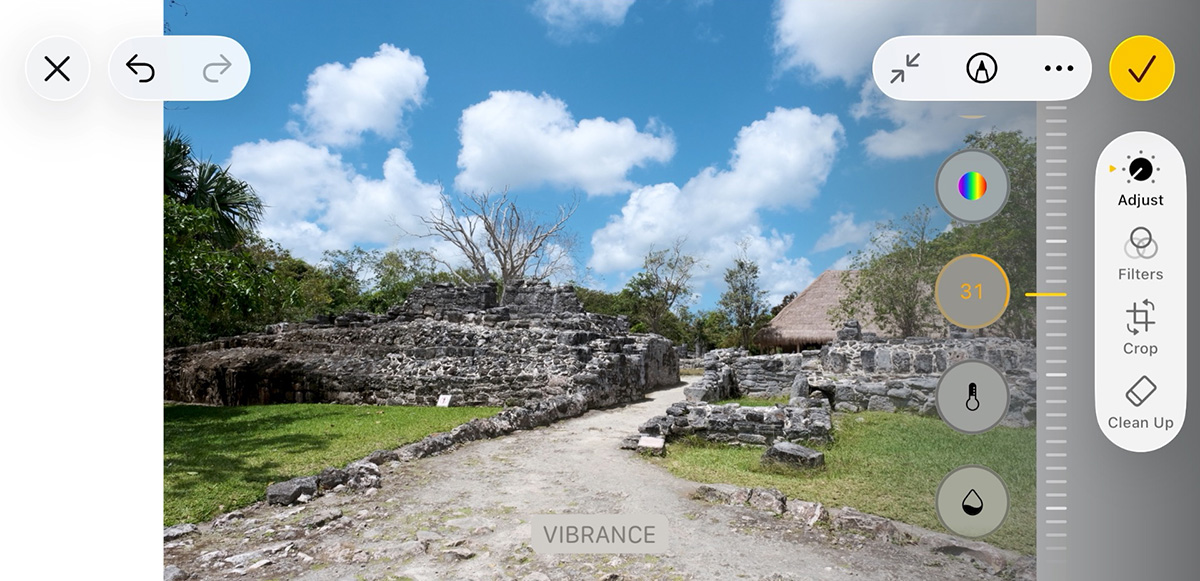
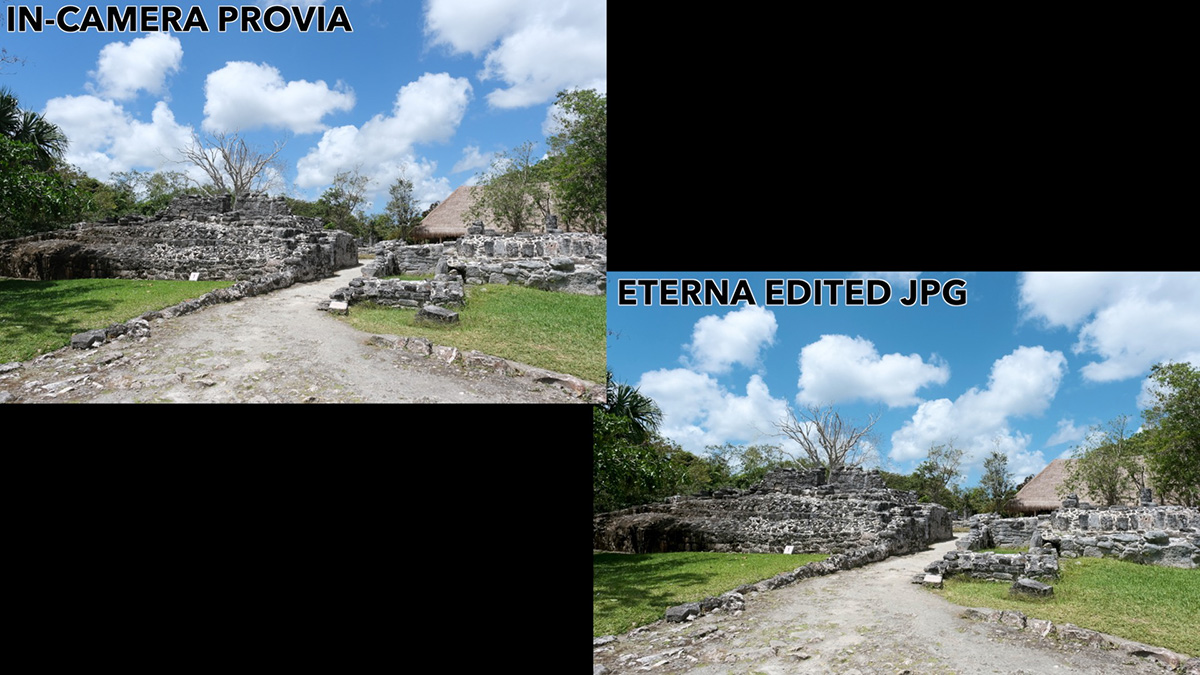
Classic Chrome doesn't offer that same flexibility. Its contrast is already baked into the JPEG, so if shadow detail is gone, there's no way to bring it back afterward. Adjusting white balance on a Classic Chrome JPEG also can't warm the image the way you can on an Eterna file because the colors have already been shifted.
This makes Eterna a good choice when you're not sure yet what you want from an image and want maximum room to adjust it later, while Classic Chrome is better suited when you want a finished look straight out of the camera.
A Few More Real-World Examples
Environmental portrait: Classic Chrome shifted the background blues while maintaining contrast and holding onto some warmth in the skin. Eterna muddied the image and made skin look comparatively lifeless, though it left more room for later editing.
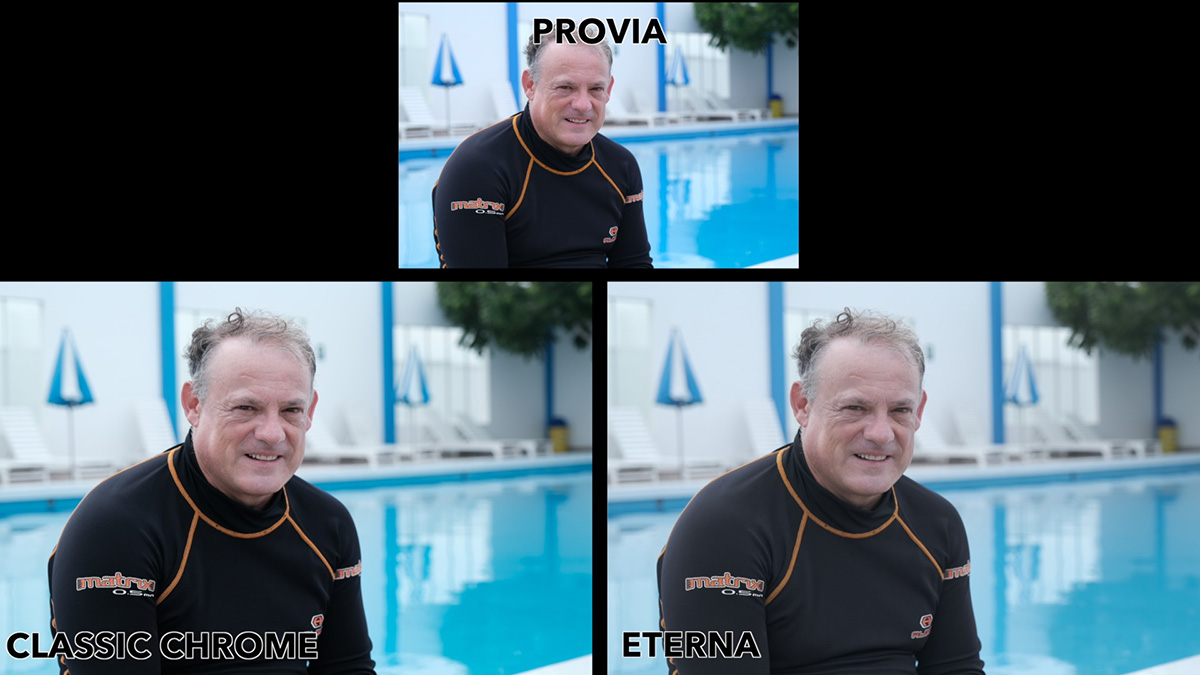
Dark interior: In a shadow-heavy indoor scene, Classic Chrome pushed the shadows even deeper and held on to some of the colors. Eterna instead revealed far more detail in the dark space while still retaining a hint of color, without letting that color overpower the scene.
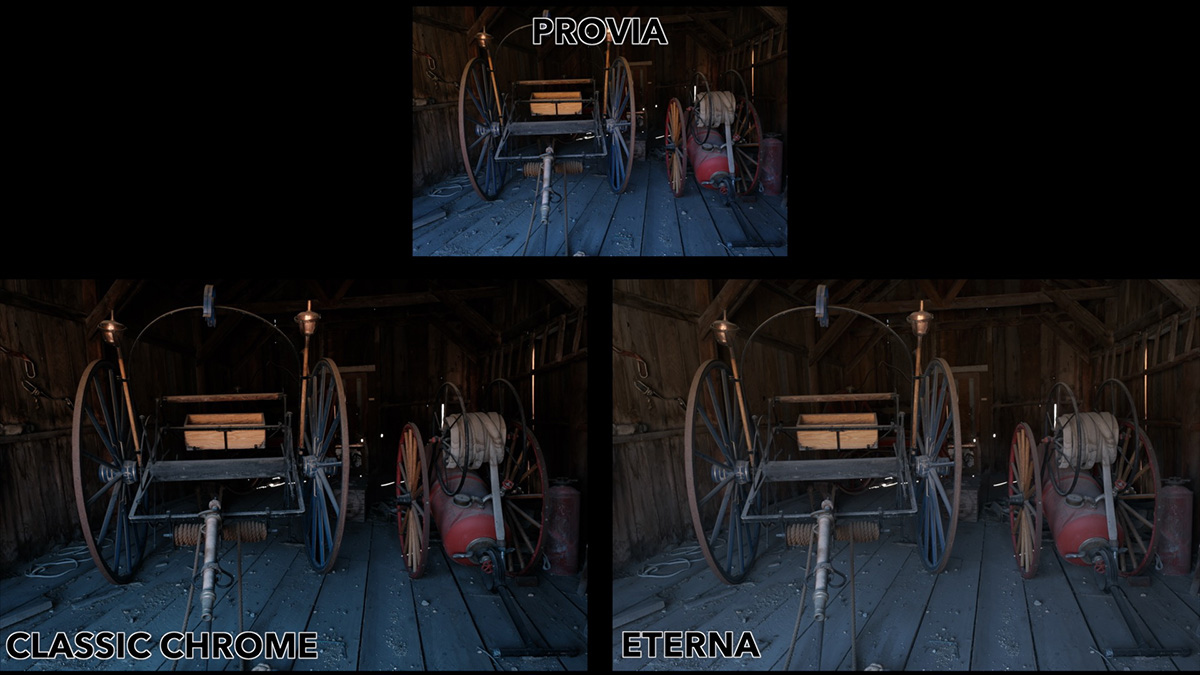
Documentary-style landscape: Applied to a straightforward, normally-lit landscape, Classic Chrome's cyan shift injected mood and character, moving the photo away from a neutral, standard look. Eterna produced a similar mood shift but with noticeably less contrast.
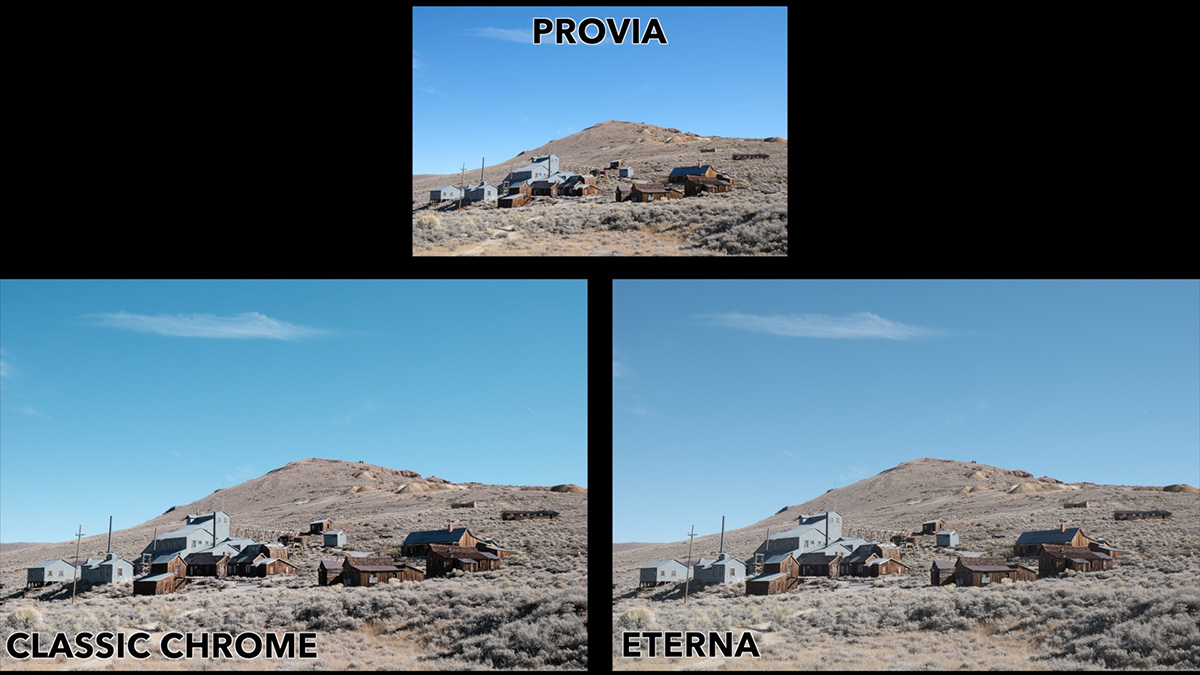
Vibrant market scene: In a colorful market scene, Classic Chrome preserves a sense of the color while toning it down enough to keep the story as the focus, and still holds onto contrast for depth. Eterna subdues the colors further but flattens the image enough that it likely wouldn't be the first choice for this kind of scene, unless further editing was planned.
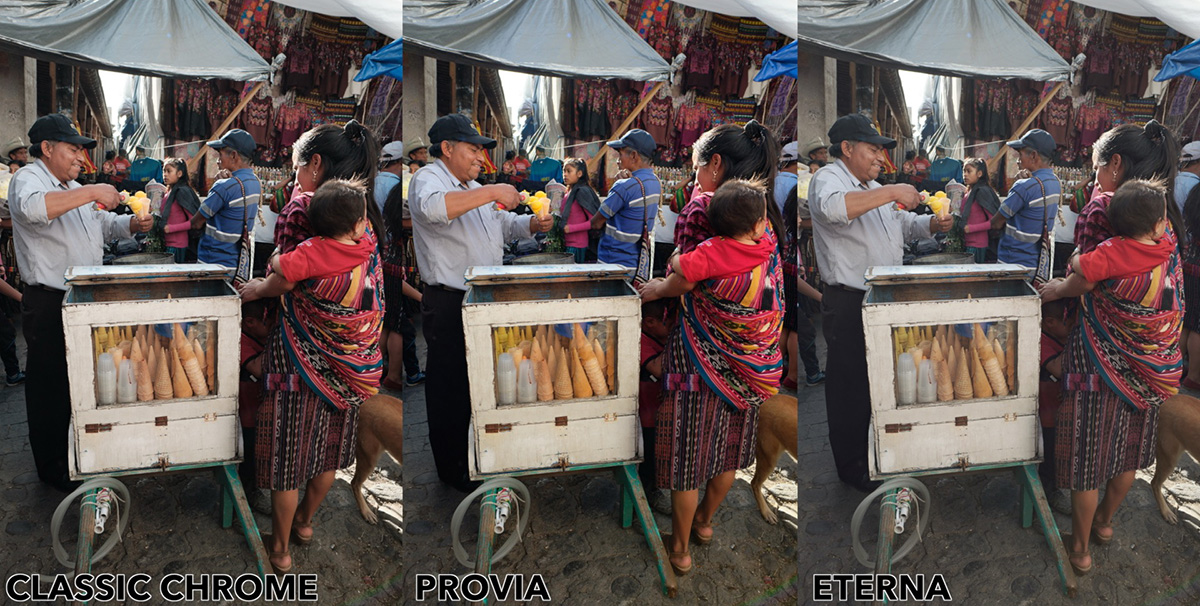
The Recap
Classic Chrome delivers much stronger contrast and distinctive color shifts that give images a finished, cool, documentary look right out of the camera.
Eterna offers flatter, more neutral contrast and more subdued color. It won't look as "finished" out of the camera, but that muted quality may be what your photo needs. And it leaves considerably more latitude for adjusting contrast and color afterward, if you want to.
If you want to go deeper into the full range of Fujifilm film simulations, check out the free Fujifilm Film Simulation course.