How to Do Long Exposures on the Nikon Zf (Beyond 30 Seconds)
Disclosure: This post may contain affiliate links. I earn a small commission of product sales to keep this website going.
Getting to exposure times longer than 30 seconds on the Nikon Zf isn't immediately obvious since the shutter speed dial only goes to 4 seconds on its own, and the options for extending beyond that are spread across a few different menus and modes. Here's a breakdown of all available methods.

Start Here: Exposure Mode and Shutter Speed Dial
Long exposures require Manual (M) mode. Shutter Priority (S) maxes out at 30 seconds regardless of any other settings. If you need to go longer, M is the only option.
Even reaching 30 seconds takes a non-obvious step: the physical shutter speed dial only shows preset times up to 4 seconds (the red numbers; white numbers are fractions). To access longer preset times, set the dial to the ⅓STEP position, then use the rear command dial or touchscreen to set preset speeds up to 30 seconds (displayed as 30" on screen).
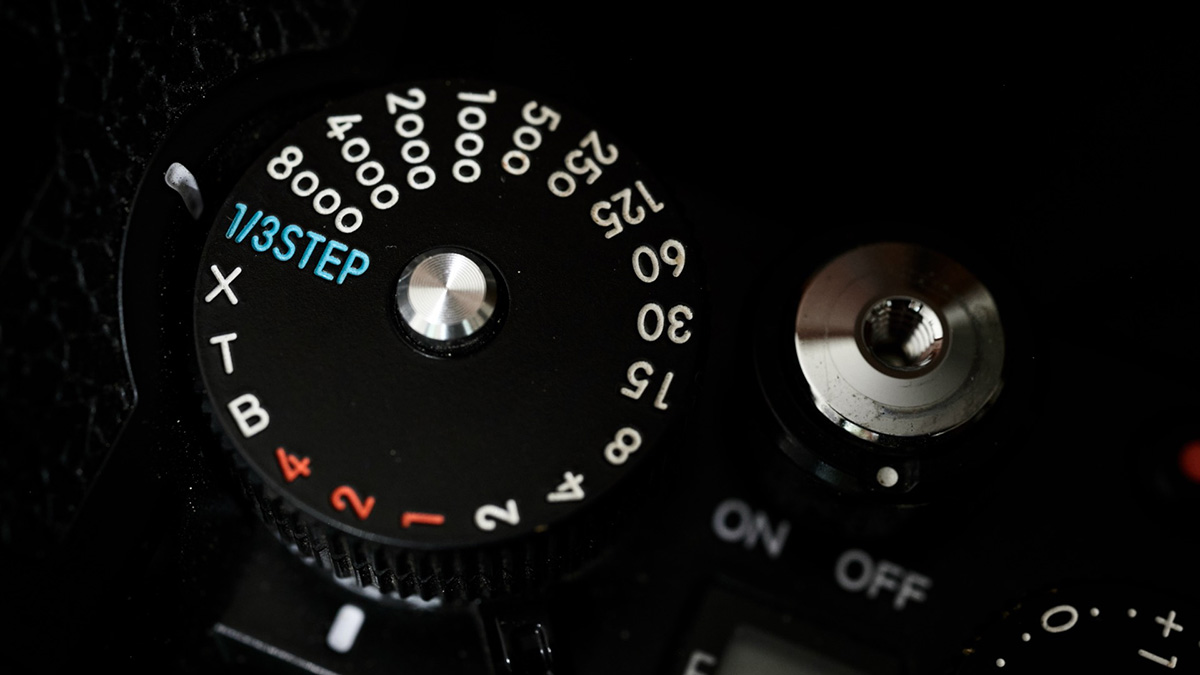
Once you're in Manual mode with the dial at ⅓STEP, continuing past 30 seconds reveals additional options - Bulb and Time - covered below.
So how do you set speeds slower than 30 seconds?
Option 1: Extended Shutter Speeds (Up to 15 Minutes)
This is the simplest way to set a specific long exposure time.
Enable it at Custom Settings Menu > d7: Extended Shutter Speeds (M) (may appear as d6 if you haven't updated your firmware). Once enabled, the command dial and touchscreen unlock preset exposure times up to 900 seconds (15 minutes), selectable in increments that grow larger as the times get longer.
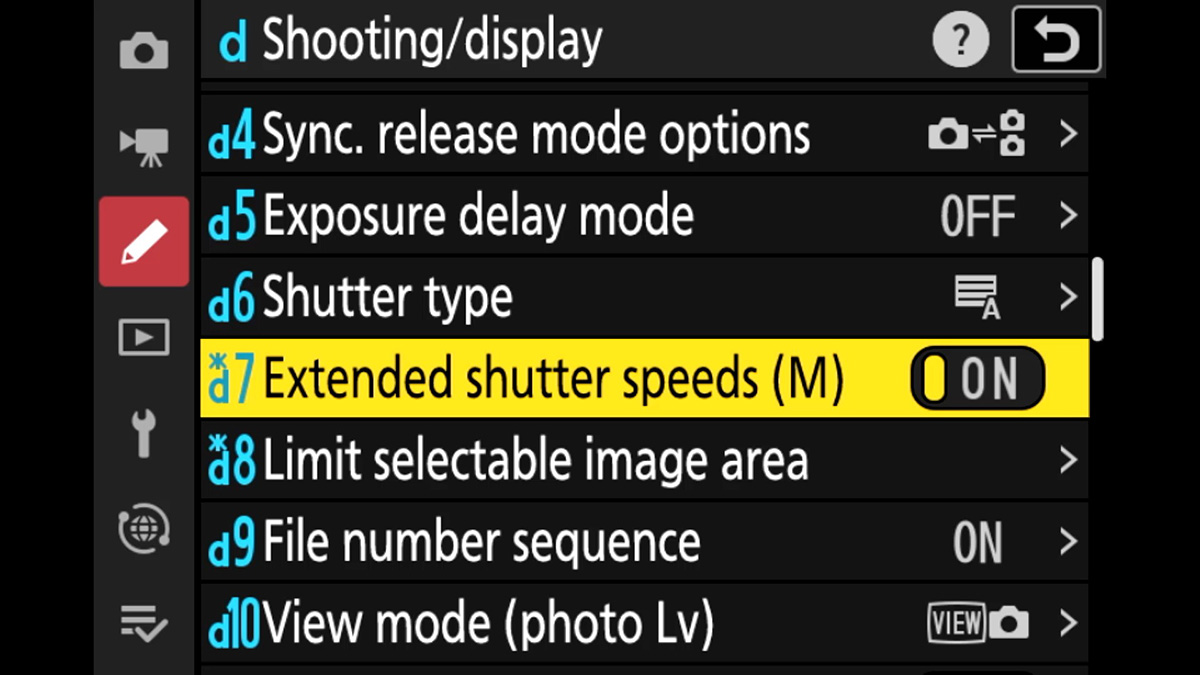
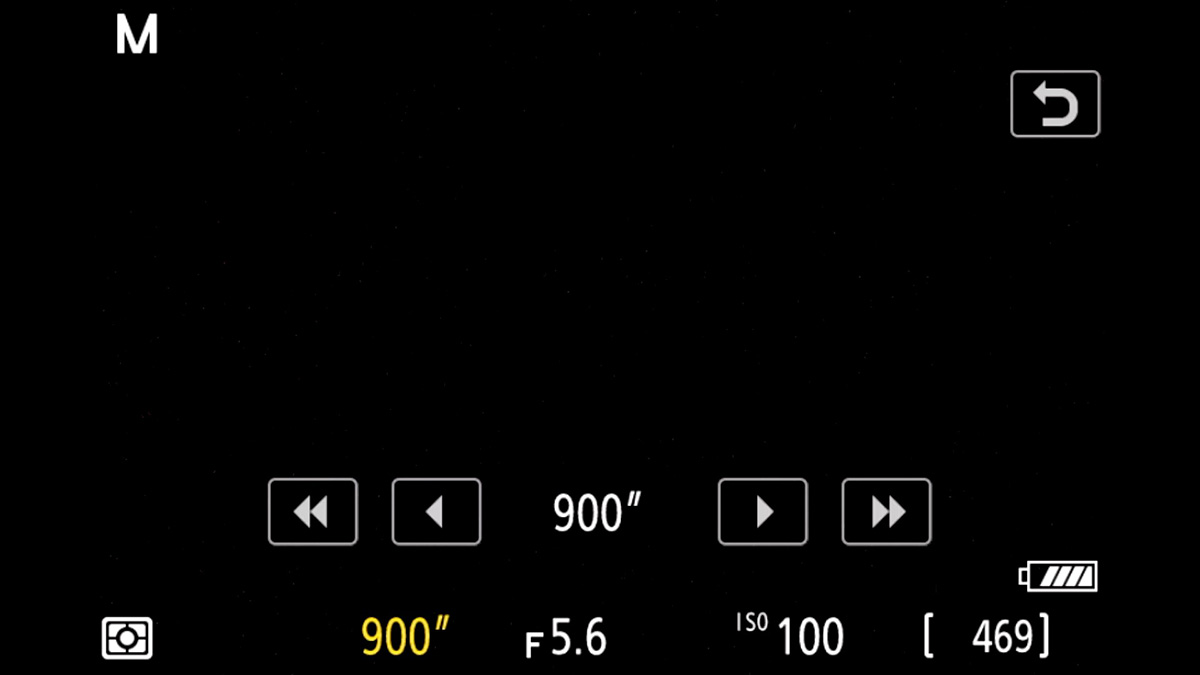
This is a good choice when you want a specific, repeatable exposure time that matches one of the presets and you don't want to manually time or trigger the shutter.
Option 2: Bulb Mode
In Bulb mode, the shutter opens when you press the shutter button and closes when you release it. You control the exact length of the exposure by how long you hold the button.
Access it two ways:
- Rotate the shutter speed dial to B
- Or with the dial at ⅓STEP in Manual mode, continue scrolling past the longest extended speed until Bulb appears
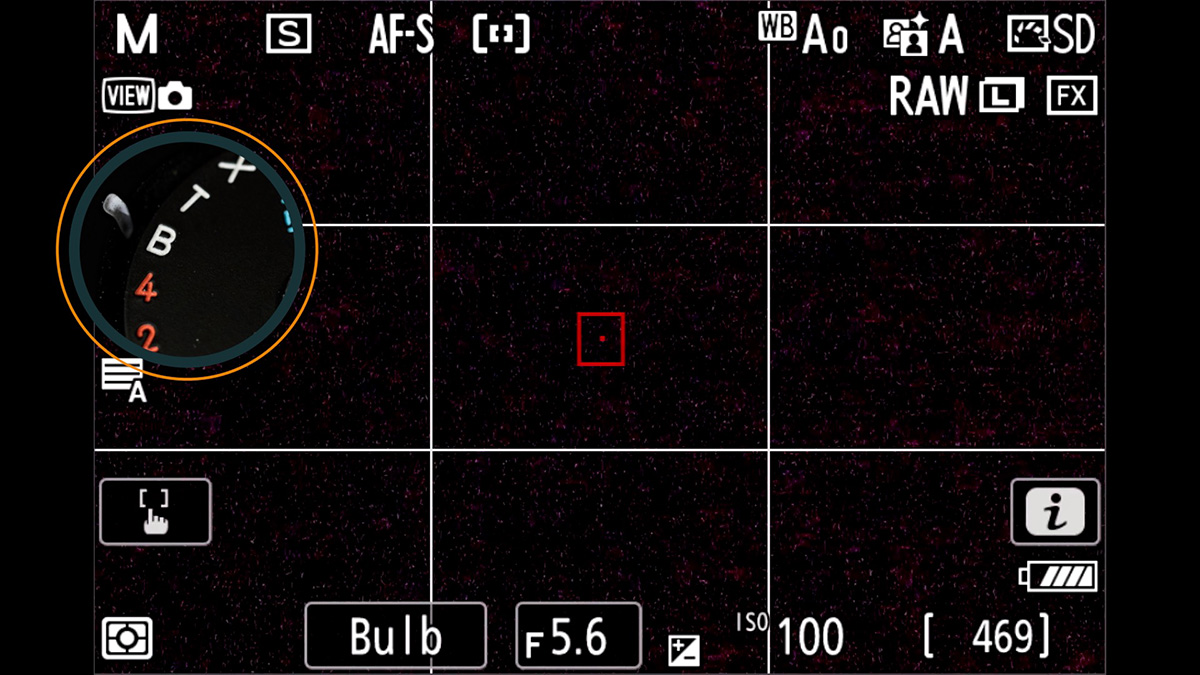
Bulb is useful when you need precise control over when the exposure ends, or one of the preset times isn't right. But holding the shutter button the entire time increases the risk of camera shake, especially on longer exposures. A remote (covered below) eliminates this problem.
Option 3: Time Mode
Time mode works like Bulb but without needing to hold the button. Press once to open the shutter, press again to close it. That's it.
Access it the same way as Bulb:
- Rotate the shutter speed dial to T
- Or scroll past Bulb when using the command dial at ⅓STEP
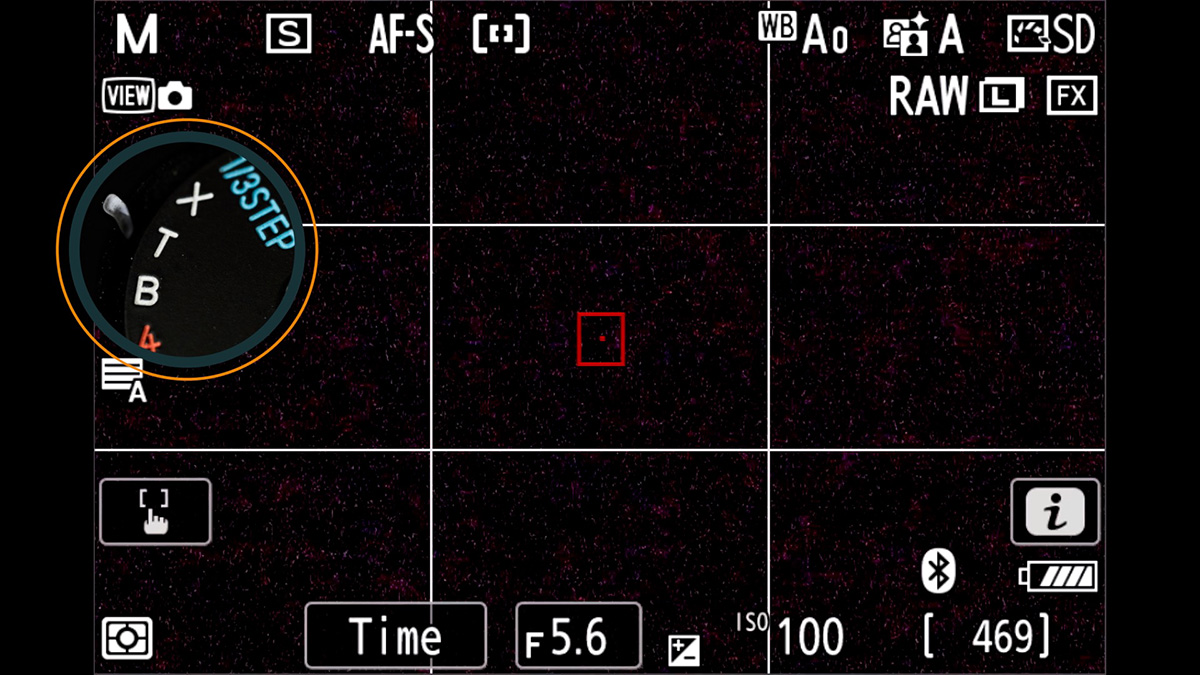
This is the most practical handheld option for long exposures with precise timing. A careful, momentary press, especially with a soft shutter release button attached to the Zf's threaded shutter button, may not introduce enough camera shake to be noticeable.
But for anything critical, use a remote.
Using a Remote
If you want to avoid touching the camera entirely, you'll need a remote. Here's what's available for the Zf:
A note first: The Zf's shutter button is threaded, but this is purely aesthetic. It's there to accept a soft shutter release button for feel, not a traditional cable release. There are no wired remote options for the Zf.
SnapBridge app (free): Connect via Bluetooth, then look for Bluetooth Remote Control at the bottom. If you see Remote Photography, tap the arrows next to that to change to the Bluetooth remote. Bulb and Time modes function exactly as described above. Hold for Bulb, press-press for Time.
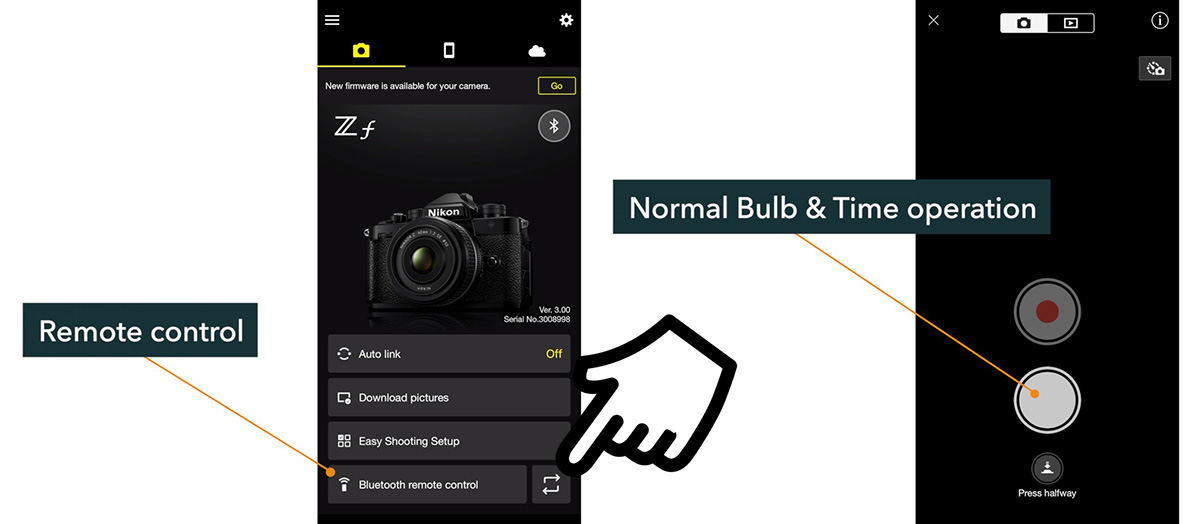
Nikon ML-L7 Bluetooth remote: Nikon's dedicated wireless remote. Regardless of whether you're in Bulb or Time mode, the ML-L7 always operates in Time-mode fashion. Press to start, press to stop.
Just be aware that with both of these options, the exposure will lean on the reliability of the Bluetooth connection. It's fairly stable, but something to be aware of. If the connection is interrupted, your exposure will end.
Want to go deeper into the Nikon Zf? The Nikon Zf Tutorial Course covers the full camera, from menus, focus systems, exposure tools, and customization, with video lessons, text outlines, downloads, and quizzes. Use code BLOG20 for 20% off.