Nikon Silent Mode: The Hidden Risks You Need to Know About
Disclosure: This post may contain affiliate links. I earn a small commission of product sales to keep this website going.
Silent Mode on Nikon cameras sounds like an excellent setting to keep enabled. Turn it on, and your camera goes completely quiet, no beeps, no AF assist lamp, no distracting sounds. Great for wildlife, museums, weddings, anywhere you need to be unobtrusive. But it's not something you should leave on by default. Here's what's really happening and when Silent Mode can quietly ruin your shot.

An Important Exception First
Everything in this article applies to most Nikon Z cameras, but not all. The Z9 and Z8 don't have this problem because they use a fully stacked sensor with no mechanical shutter at all; their sensor and processor read out fast enough that the issues below are minimized or eliminated entirely.
The Z6III is a partial exception. Its partially stacked sensor improves readout speed compared to older Z6/Z7-series cameras, but it's still a conventional (non-fully-stacked) sensor and remains prone to rolling shutter effects. Just not as much as the non-stacked cameras.
For every other Z-series camera, keep reading.
What Silent Mode Does
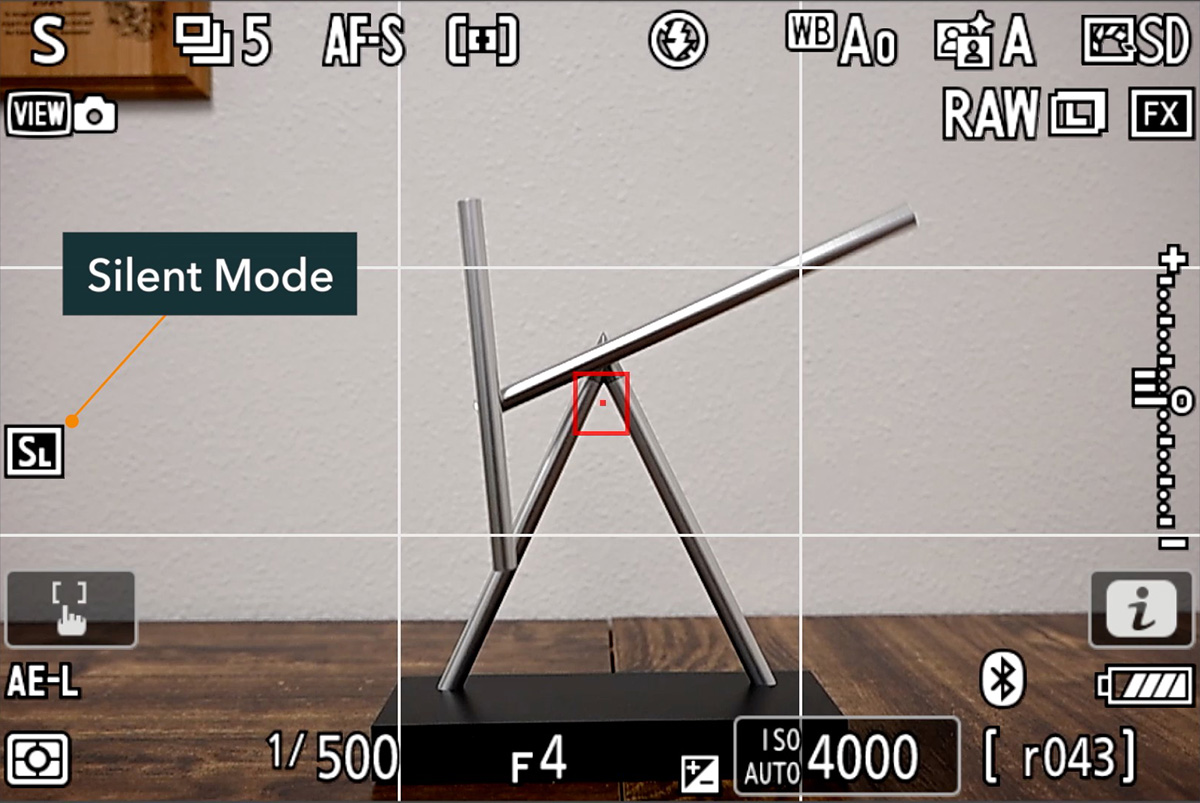
Wherever you find it, either in the Setup Menu > Silent Mode on newer cameras, or Photo Shooting Menu > Silent Photography on older models like the Z6/Z7 and their Mark II versions, enabling it does one critical thing: it forces the camera to use the electronic shutter, regardless of what shutter type you have selected in your custom settings.
That single change is the root cause of everything covered below.
With a normal mechanical shutter (or electronic front-curtain shutter), the sensor is exposed to the scene essentially all at once, in one fast mechanical motion. With the electronic shutter, the sensor is read out line by line, from top to bottom. Even at a fast shutter speed like 1/500s, the total time to read the entire sensor is longer than that - as long as 1/15s. And during that readout window, anything moving in the frame keeps moving.


Problem #1: Rolling Shutter Distortion
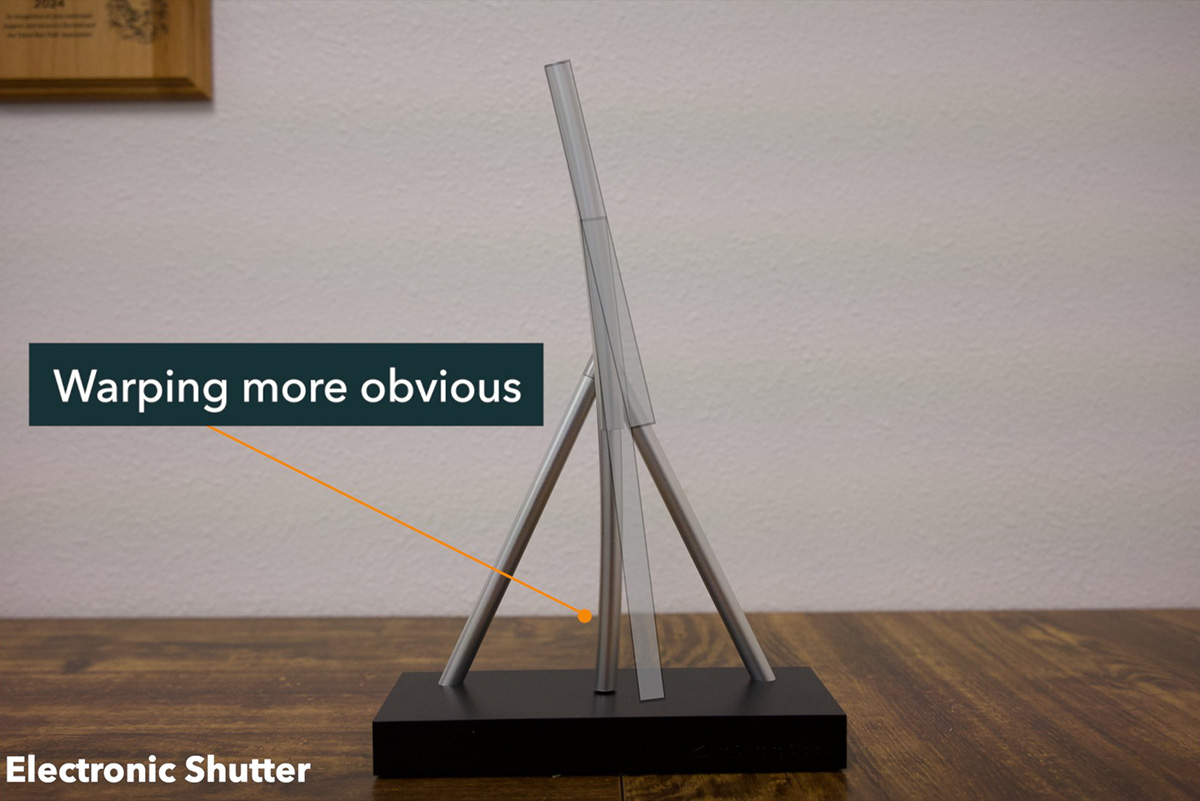
Because each line of the sensor is captured at a slightly different moment, a fast-moving subject ends up in a different position in the frame for each successive line read. The result: straight lines skew, and moving subjects appear warped or stretched.
A clear example: photographing a straight, vertical steel bridge trestle from a moving train. Shot with the electronic shutter, that perfectly vertical trestle appears slanted and distorted, because the high relative motion shifted its position between each line of sensor readout. Shot with the mechanical shutter, the same trestle renders vertical, because the entire frame was exposed at essentially the same instant.
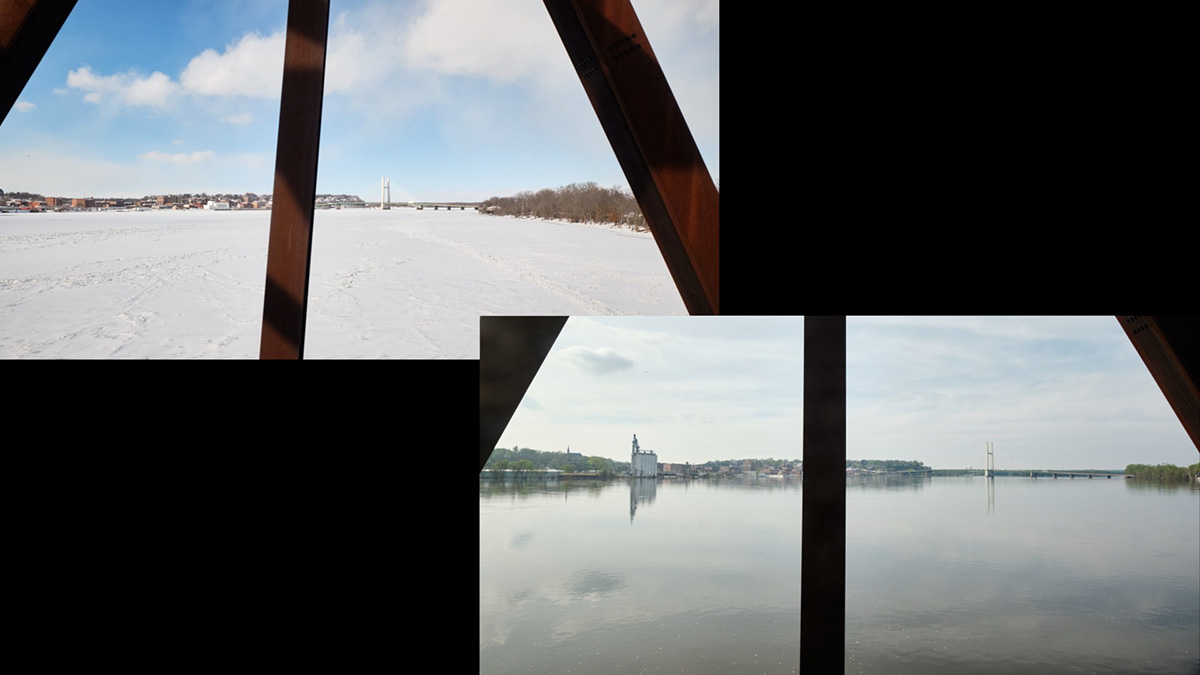
The same principle applies to anything spinning, swinging, or moving quickly through the frame. The faster the motion, the more pronounced the warping.
Problem #2: Banding Under Artificial Light
The second issue shows up under artificial lighting, fluorescent lights especially, but also many LED sources common in gyms, offices, and event spaces. These lights cycle on and off in sync with the power grid (60 Hz in the US), far faster than the human eye can perceive.
But the electronic shutter's line-by-line readout is fast enough to catch that cycling. As the sensor reads from top to bottom, some lines are captured while the light is "on" and others while it's effectively "off," creating visible banding across the image.
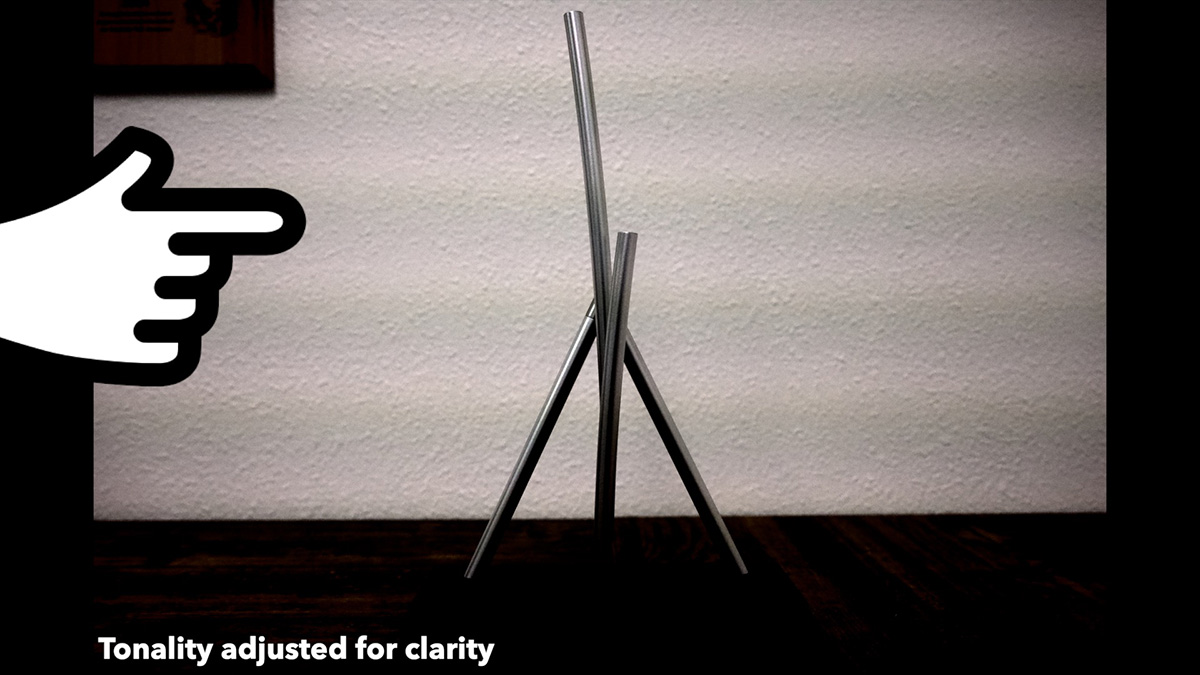
Normally, Nikon's Photo Flicker Reduction setting can compensate for this under the mechanical or electronic front-curtain shutter. But Flicker Reduction is unavailable when using the electronic shutter, meaning Silent Mode removes your only built-in defense against this banding.
Other Limitations to Know About
Beyond rolling shutter and flicker, enabling Silent Mode brings a handful of other restrictions tied to the electronic shutter. Exact limitations vary by camera model, so check your manual, but in general expect:
- No flash photography
- No long exposure noise reduction
- Reduced burst frame rate in some shooting situations
- No Photo Flicker Reduction, as mentioned above
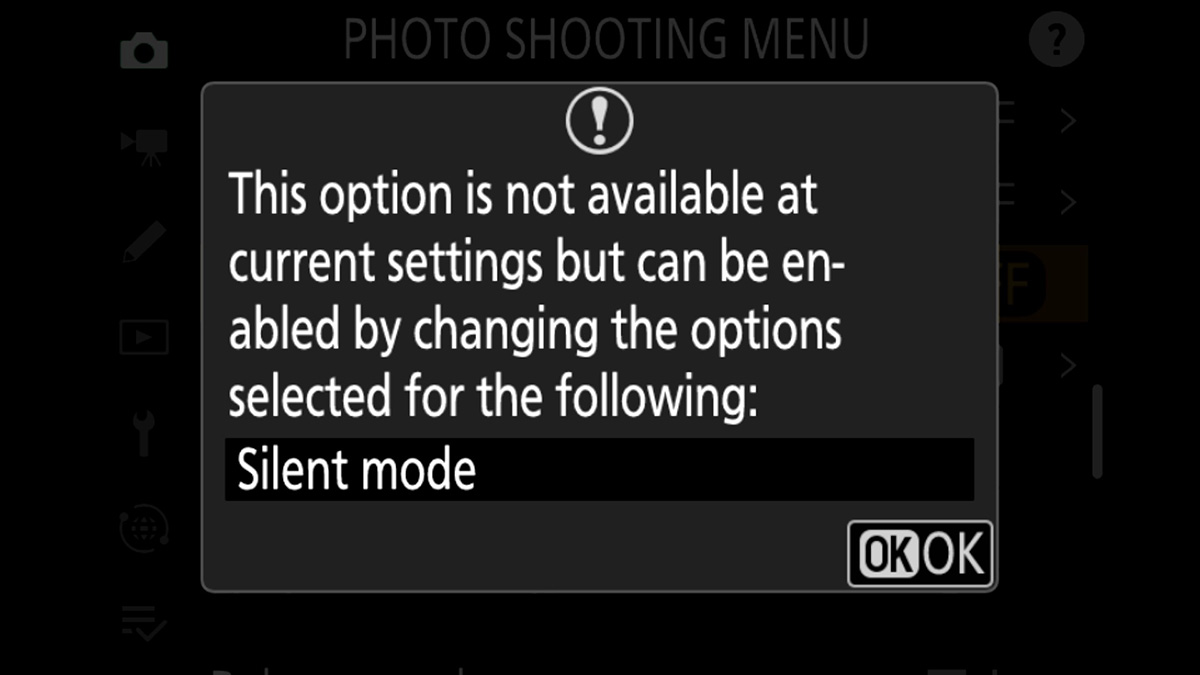
Silent Mode will also automatically silence any beeps you have enabled and disable other camera lights, since the whole point is a fully stealth shooting experience. Note that some mechanical noises, such as aperture actuation and vibration-reduction gyros, can't be eliminated in Silent Mode.
When to Use or Not Use Silent Mode
Silent Mode is still useful. For stationary or slow-moving subjects under continuous, non-cycling light (daylight, for instance), it works as intended with no downsides.
But switch back to the mechanical or auto shutter setting whenever:
- Your subject is moving quickly, spinning, or you're shooting from a moving platform
- You're working under fluorescent or LED lighting that might cycle
- You need flash, long exposure noise reduction, or flicker reduction
For most general-purpose shooting, defaulting to Silent Mode is more likely to introduce hidden problems than it is to help.
Quick Reference
| Camera | Affected by Rolling Shutter/Banding in Silent Mode? |
|---|---|
| Z9/Z8 | No (fully stacked sensor, electronic shutter only) |
| Z6III | Reduced risk (partially stacked sensor, but still possible) |
| All other Z-series (Z5, Z6/Z7 and Mark II models, Zf, Z30, etc.) | Yes (full rolling shutter and banding risk) |
Want to dig deeper into your Nikon camera's settings, shutter systems, and shooting modes? Check out the full library of Nikon tutorial courses. These contain video lessons, menu walkthroughs, and other tips to help you get the most out of your gear. Use code BLOG20 for 20% off any course.