How to Get More Shots Out of Every Canon R Battery Charge
Disclosure: This post may contain affiliate links. I earn a small commission of product sales to keep this website going.
Canon R series mirrorless cameras aren't known for their battery endurance (especially for those coming from DSLRs), and a dead battery at the wrong moment means a missed shot. The good news is that a handful of settings and a few habits can extend what you get out of every charge. None of these are huge changes on their own, but they do add up.

Focus System Settings
Every time the autofocus system is active, the processor is working and the lens motor is moving. Limiting unnecessary AF activity is one of the biggest things you can do for battery life. You can also try using Manual Focus.
Disable Preview AF (Continuous AF). Found in the AF menu, this setting runs the autofocus system continuously whenever the camera is on, even when you're not trying to focus. In theory, it speeds up focus acquisition, but Canon's AF is already fast enough that this is unnecessary for most shooting. Disable it.
Use One-Shot instead of Servo when you don't need tracking. Servo AF keeps the focus motor running for as long as you hold the shutter halfway or press the back AF button. For stationary subjects, switch to One-Shot. Once focus locks, the motor stops. Only use Servo when you're actively tracking moving subjects.
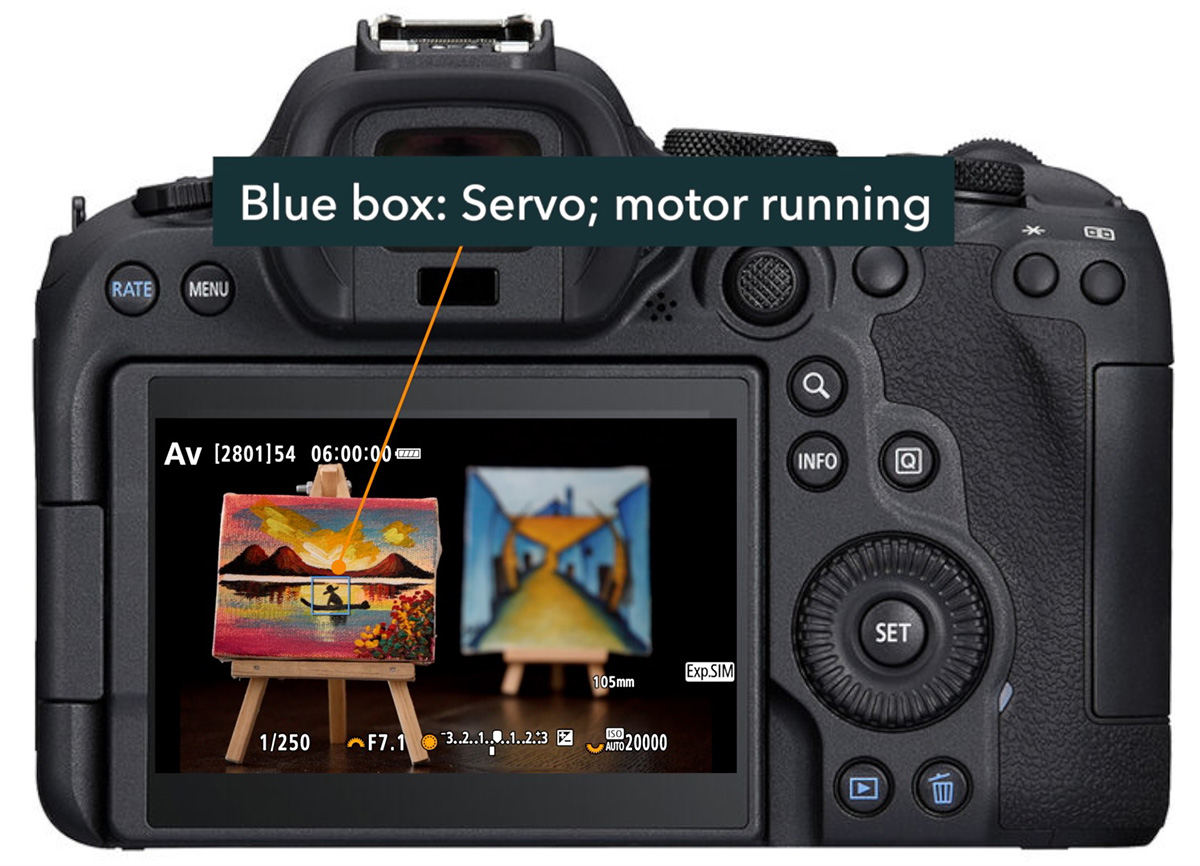
Set up back-button focus. With back-button focus, the AF system only activates when you deliberately press the back AF button, not every time you half-press the shutter. If you're shooting the same scene at the same distance, aperture, and focal length, you only need to focus once. Every shutter press after that uses no AF energy at all.
- In the Custom Functions menu > Customize buttons, set "Shutter butt. half-press" to anything that doesn't have "AF start" (Metering start works fine).
- Make sure "AF-ON button" is set to "Metering and AF start".
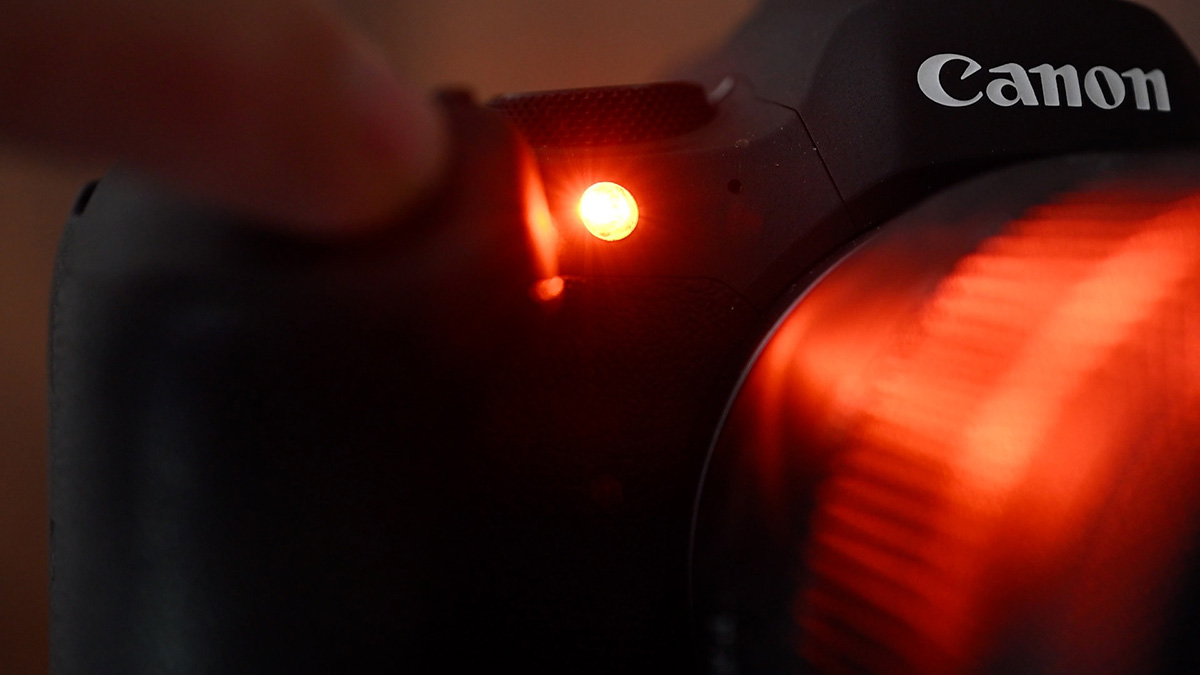
Turn off the AF assist beam. That orange lamp on the front of the camera has a limited effective range, and modern Canon R cameras already focus well in low light without it. Disable it and see if your AF still performs adequately in your typical shooting conditions. You probably won't miss it.
Display Settings
Camera displays are one of the biggest draws on the battery.
Lower screen brightness. Found in the Setup menu, this is one of the easiest ways to extend your battery. Keep it at the lowest level you can comfortably work with. For the viewfinder brightness, Auto is fine. It adjusts itself based on ambient light. To make screen brightness quick to adjust, add it to My Menu or the Quick Control menu.
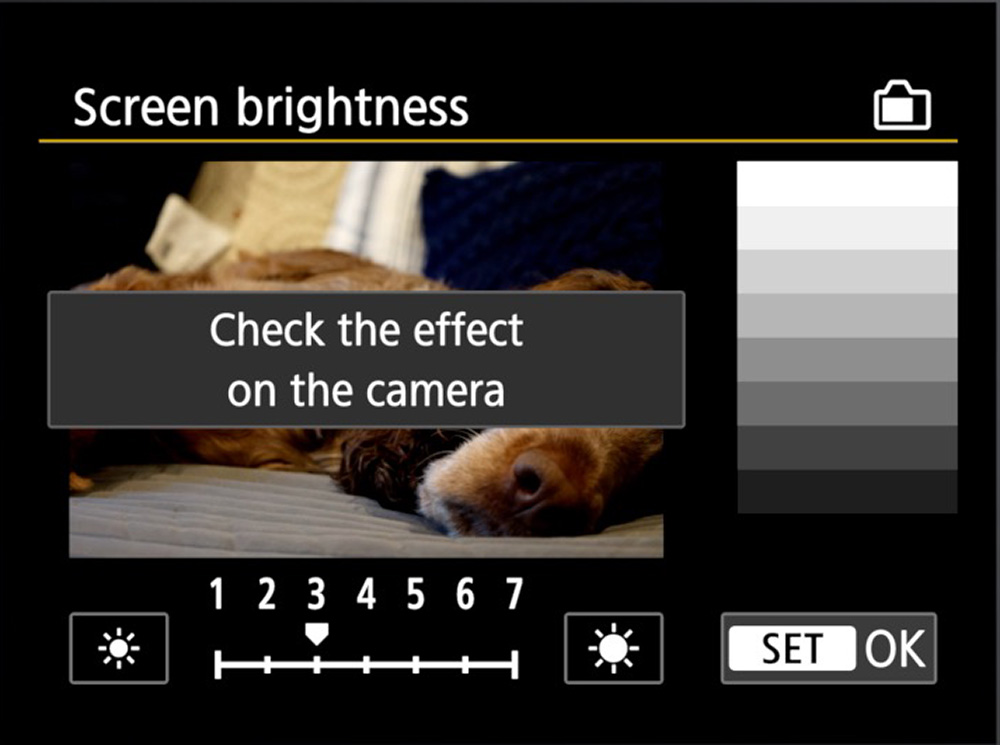
Set display switching to Auto 2. This keeps the LCD on as your primary display but switches to the viewfinder when you raise the camera to your eye, turning off the LCD in the process. Note that Canon rates the EVF and eye sensor as drawing more power than the LCD, so keeping the LCD as the default display and activating the viewfinder only when needed is the more battery-efficient approach.
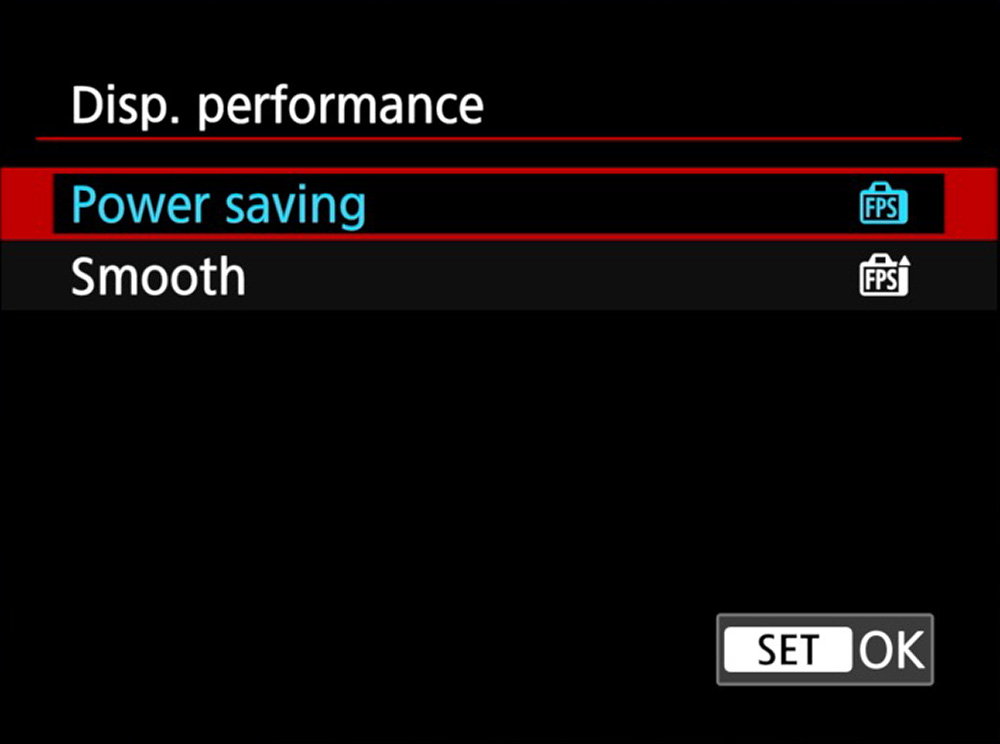
Set Display Performance to Power Saving. Found in the Shooting menu, this runs the live view at a lower refresh rate. Unless you're shooting fast action and the lower frame rate is genuinely causing you to miss subjects, leave it here at the lower framerate. Switch to Smooth temporarily when you need it, then switch back.
Miscellaneous Settings
Enable Airplane mode. Wi-Fi and Bluetooth both draw power even when you're not actively using a connection. Airplane mode shuts all wireless transmitters off in one step.
Disable GPS if you're not using it. If your camera has built-in GPS, it's running continuously in the background. Turn it off when you don't need geotagging data.
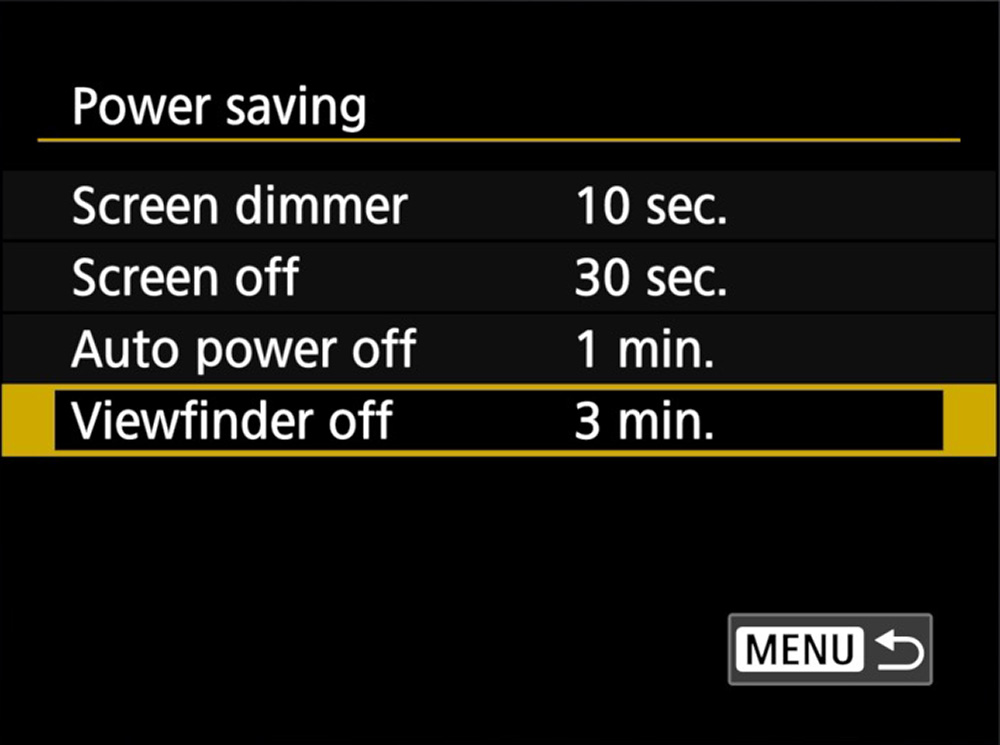
Shorten power-saving timers, but not too short. In the Setup menu under Power Saving, you can set how quickly the screen dims, the viewfinder turns off, and the camera powers down. Shorter times save power, but if the camera is constantly cycling on and off, the repeated wake-ups can actually cost more energy than just leaving it on. Find a balance that matches your shooting rhythm.
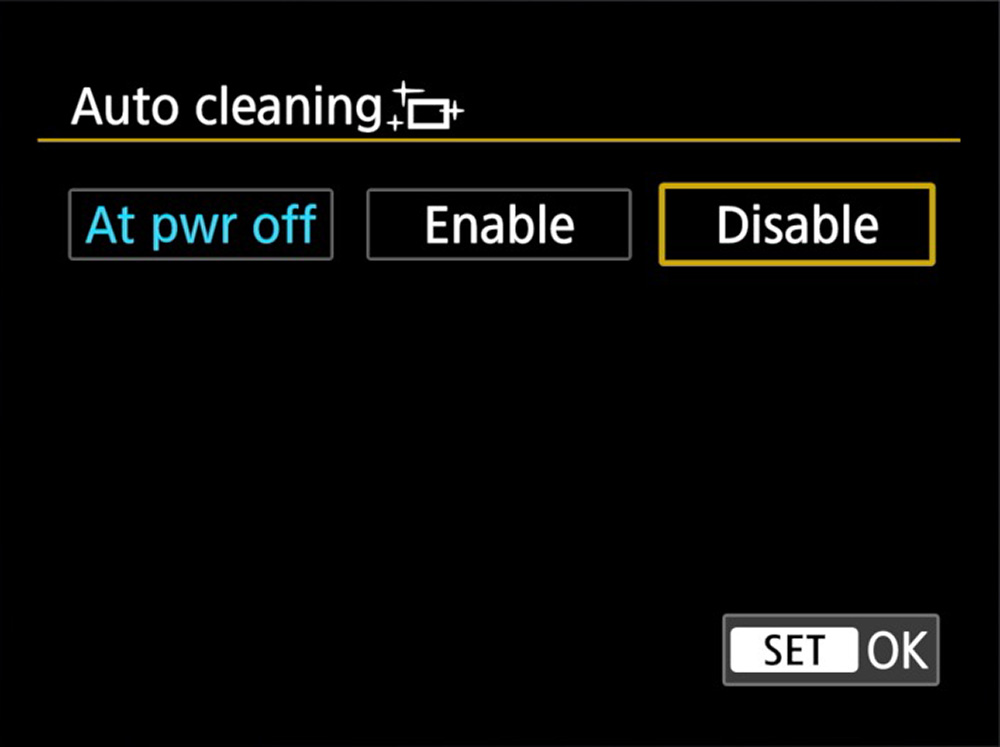
Set sensor cleaning to At Power Off only or disable it entirely. Running automatic sensor cleaning on both startup and shutdown every single time adds up. Change this to At Power Off only, or disable automatic cleaning altogether and run a manual clean (Clean Now) only when you notice dust spots.
Turn off image stabilization when you don't need it. IS draws power whenever the displays are active. On a tripod, or when shooting at fast shutter speeds where stabilization isn't helping your images, turn it off either via the lens switch (if your lens has one) or through the camera Shooting menu.
Disable JPEG processing settings when shooting RAW only. If you're shooting RAW, settings like Auto Lighting Optimizer, Highlight Tone Priority, Clarity, Creative Filters, and High ISO Noise Reduction are applied only to the RAW preview, not to your actual files. But they still consume processing power. Disable them if you're shooting RAW to reduce the processor load.
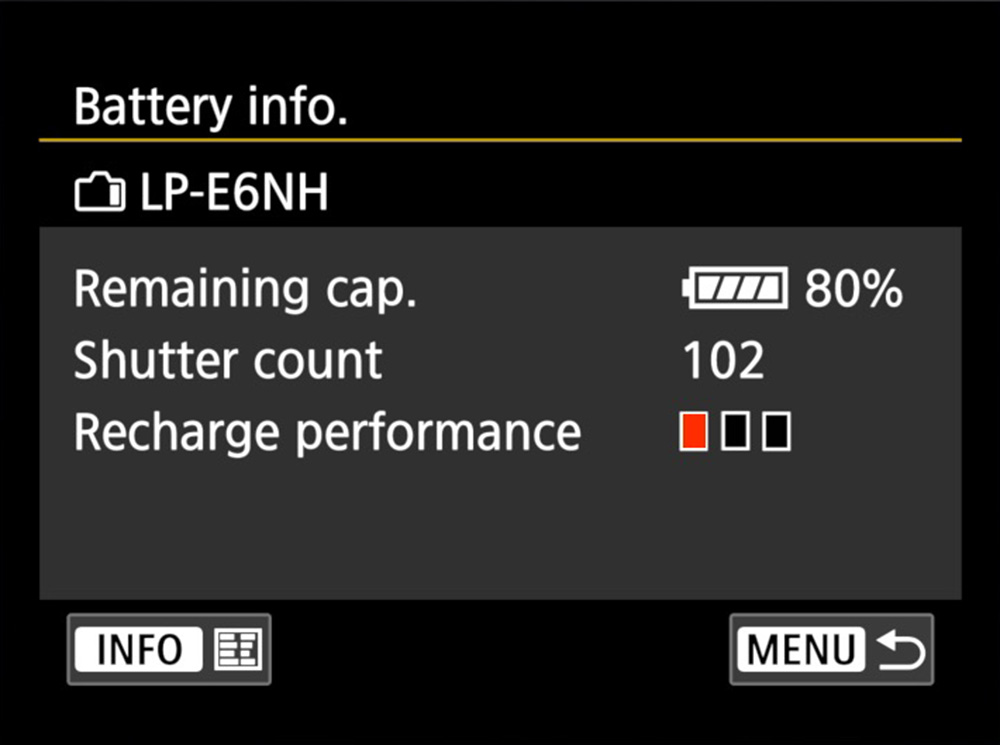
Check battery health in the Setup menu. Most Canon R cameras include a Battery Info screen that shows shots taken on the current charge and a recharge performance indicator. If that performance rating is at its lowest level, the battery can no longer hold a full charge, and it's time to replace it.
Field Habits
Practice shutter discipline. Digital storage is essentially free, which makes it easy to fire off far more shots than you need. Every shutter press uses power. Have a reason for each shot. Wait for the right moment and composition, rather than shooting just to press the button.
Don't wake the camera unnecessarily. Tapping the shutter to wake the camera from standby uses power, too. Only do it when you're ready to shoot.
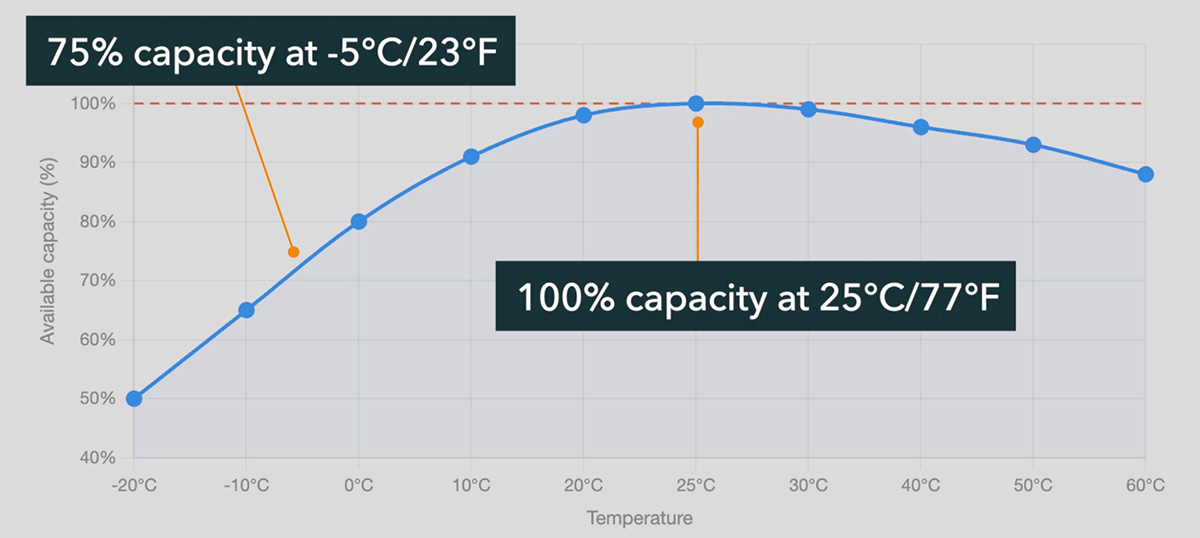
Keep batteries warm in cold weather. Cold temperatures dramatically reduce available battery capacity. Keep batteries in a pocket close to your body rather than in your camera bag, and pop them into the camera when you're ready to shoot. If you stop for a while, take the battery out and warm it back up. The same applies to any spare batteries you're carrying.
Skip the power bank and carry a spare. Most portable USB battery sticks don't deliver enough wattage to charge Canon R batteries in-camera. A spare battery is a far better choice. Keep it warm in your pocket, not cold in your bag.
Start every shoot fully charged. Batteries left sitting in a bag for weeks will slowly self-discharge. Charge everything the night before any planned shoot.
Quick Reference
| Category | Action |
|---|---|
| Focus | Disable Preview AF / Continuous AF |
| Focus | Use One-Shot AF unless tracking movement |
| Focus | Set up back-button focus |
| Focus | Disable AF assist beam |
| Display | Lower screen brightness; add to Quick Control for easy access |
| Display | Set display switching to Auto 2 or Screen only |
| Display | Set Display Performance to Power Saving |
| Misc | Enable airplane mode |
| Misc | Disable GPS when not needed |
| Misc | Set sensor cleaning to At Power Off or Disable |
| Misc | Turn off IS when not needed |
| Misc | Disable JPEG processing settings when shooting RAW |
| Habits | Practice shutter discipline |
| Habits | Keep batteries warm in cold weather |
| Habits | Carry a spare battery; start every shoot fully charged |
You don't need to do all of these things; choose the ones that make sense to you, and you'll get a little more out of each battery.
To learn more about your Canon R-series camera settings and how to apply them in photography, check out the Canon R Photography Fundamentals course (20% off with "blog20").