How to Get More Shots Out of Every Nikon Z Battery Charge
Disclosure: This post may contain affiliate links. I earn a small commission of product sales to keep this website going.
Nikon Z mirrorless cameras don't last nearly as long on a charge as their DSLR predecessors, and a dead battery at the wrong moment can mean missing the shot. The good news is that a handful of settings changes and a few simple habits can meaningfully extend what you get out of every charge. None of these is dramatic on its own, but they do add up.

Display Settings
Your camera's displays are one of the biggest drains on the battery. Here's how to limit those drains.
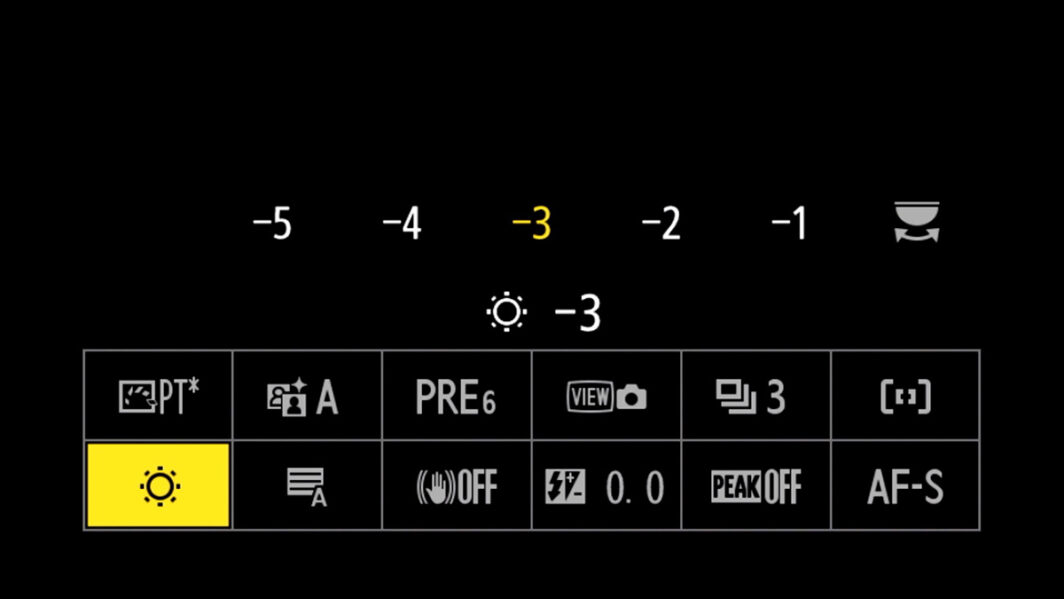
Lower the monitor brightness. It's tempting to run the LCD at full brightness, but it burns through your charge faster than almost anything else. Keep it at the lowest level you can comfortably work with. To make this easy to adjust on the fly, program Brightness into your i menu so you can change it quickly without digging through the main menus. Do this in the Custom settings f1 menu.
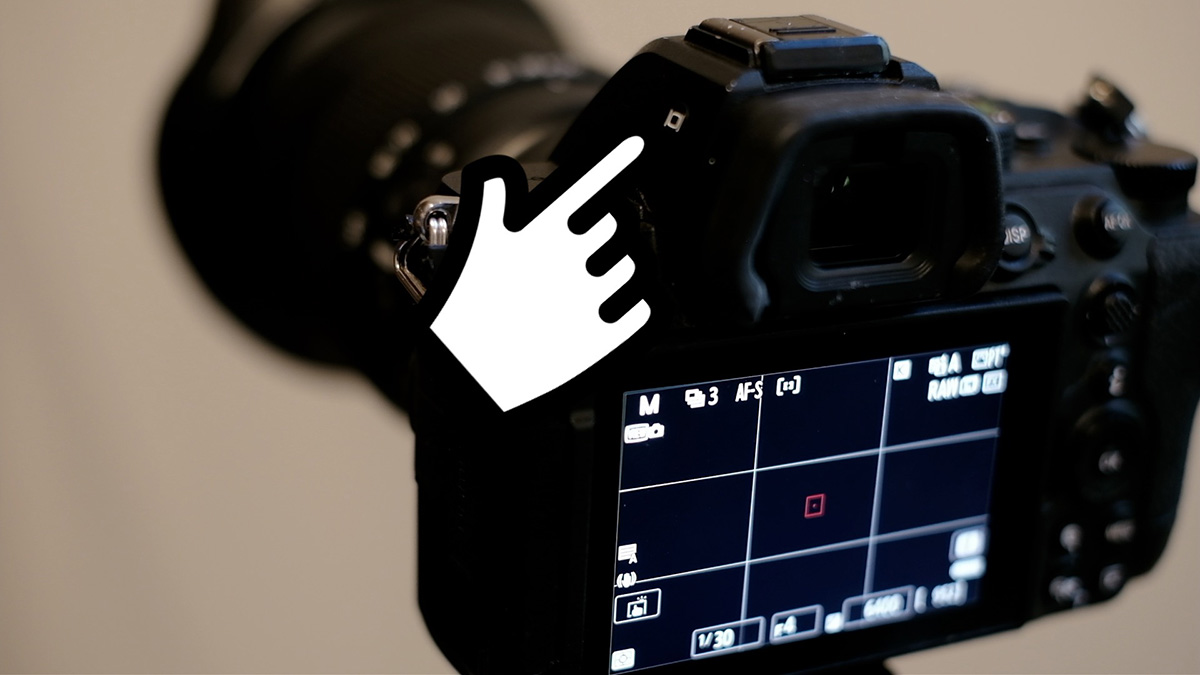
Use the viewfinder instead of the LCD. The viewfinder is more immersive, cuts out distractions, and uses far less power than the rear monitor. Set your monitor mode to Prioritize Viewfinder 1 (via the monitor mode button on the viewfinder housing). With this setting, the LCD stays completely off during shooting. The viewfinder only activates when the camera is raised to your eye, and everything shuts off again when you lower it. The monitor will still come on for image review and menu navigation.
For the viewfinder brightness, leave it on auto. It adjusts itself appropriately for bright and low-light conditions. This is found in the Setup menu.
Turn off Picture Review. That automatic image playback after every shot is a convenience you probably don't need. Disable it in the Playback menu and use the playback button when you actually want to review images.
Focus System Settings
Autofocus is surprisingly power-hungry. It makes the processor work harder and drives the focus motor in the lens. A few changes here go a long way.
Turn off the AF assist lamp. That front-facing lamp that illuminates dark scenes for autofocus is rarely necessary with modern AF systems. Unless you frequently shoot close subjects in very dark conditions, turn it off. This is in the Custom functions "a" group, Focus (or Autofocus) menu.
Use single-shot AF instead of continuous. Continuous autofocus keeps the processor and lens motor running constantly for as long as you hold the shutter or AF button. If you're not shooting sports, wildlife, or fast action, switch to AF-S, or go to manual focus if you're comfortable with it.
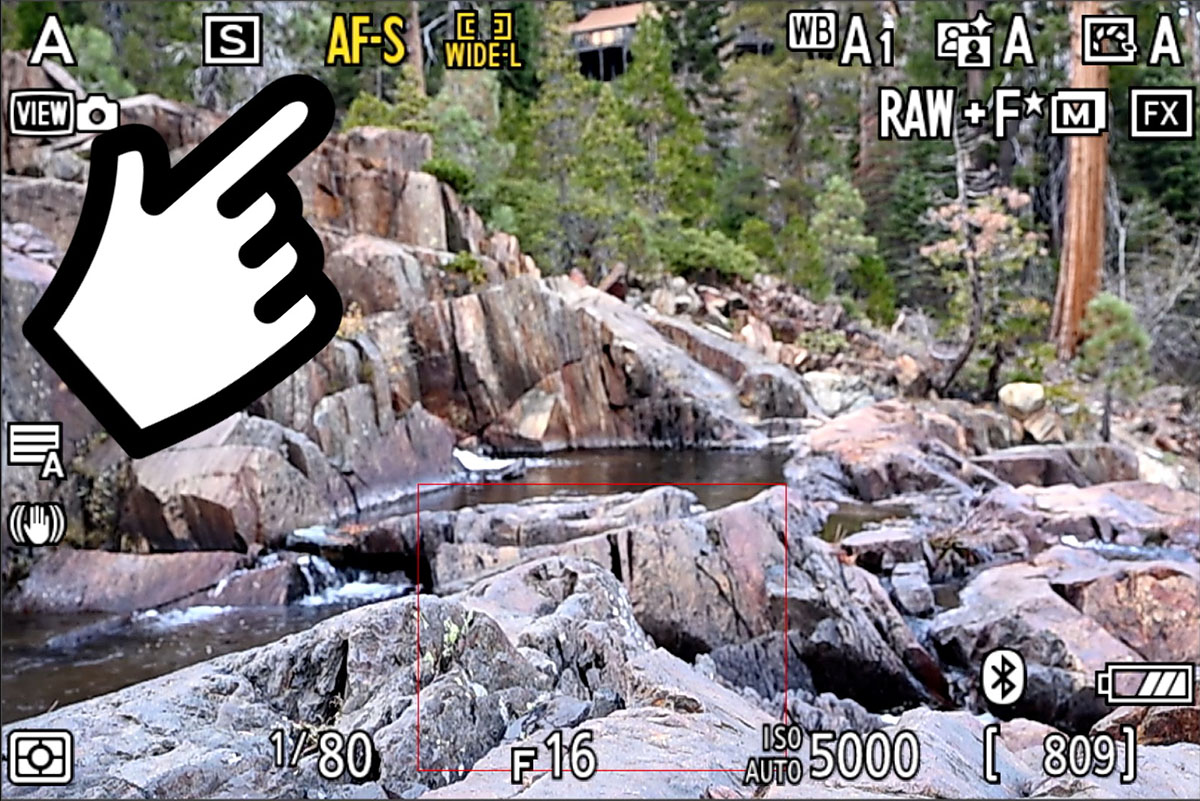
Set up back button focus. With back button focus, the AF system only runs when you press the dedicated AF button on the back of the camera, not every time you half-press the shutter. If you're shooting the same scene repeatedly at the same distance, you only need to focus once. Every shutter press after that costs nothing in AF energy. Read How to use back-button focus in Nikon cameras.
Miscellaneous Settings
Enable Airplane Mode. Even when you're not actively using Wi-Fi or Bluetooth, those radios run in the background. Switching to airplane mode shuts them off entirely. This is found in either the Setup or Network menu, depending on your camera.
Turn off Vibration Reduction when you don't need it. VR is useful for handheld shooting at slower shutter speeds, but if you're already working at fast shutter speeds, it's consuming power without doing much for your images. This is in the Photo Shooting menu.
Disable JPEG Settings. If you're recording only the RAW file format, disable all Photo Shooting Menu settings that only affect JPEG files. These include High ISO NR, Vignette Control, Diffraction Compensation, Auto Distortion Control, Skin Softening, Portrait Impression Balance, and Film Grain Options. These will still require extra power to create the embedded JPEG preview file by causing the processor to work harder & longer.
Enable Energy Saving for Photo Mode. Found in the Setup menu, this puts the camera to sleep after a period of inactivity. A tap of the shutter button wakes it back up instantly.
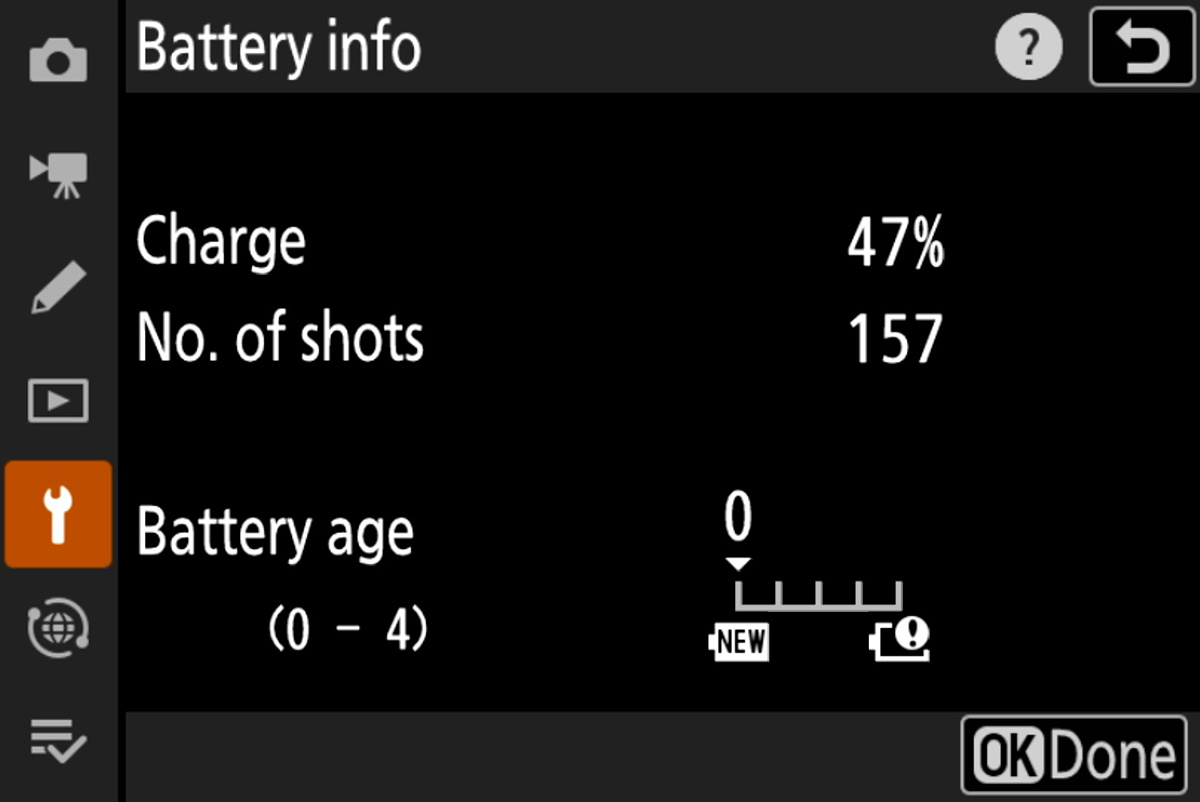
Check your battery health. In the same area of the Setup menu, you'll find Battery Info, which shows charge level, shot count, and battery age on a scale of 0–4. A rating of 4 means the battery is at the end of its life and should be replaced. This is a useful diagnostic if a battery seems to be draining unusually fast.
Field Habits
Settings only go so far. These habits make a real difference, too.
Practice shutter discipline. Digital storage is essentially free, which leads many photographers to fire off far more shots than they need. Every shutter press uses power. Be intentional. Wait for the right moment, the right composition, the right light. Don't shoot just to shoot.
Don't wake the camera unnecessarily. Every time you tap the shutter to wake the camera from sleep, that costs power too. Only do it when you're ready to shoot.
Keep batteries warm in cold weather. Cold temperatures dramatically reduce available battery capacity. If you're shooting in winter, keep your batteries in a pocket close to your body rather than in your camera bag. When you're done shooting for a while, take the battery out of the camera and warm it back up. The same goes for any spares you're carrying.
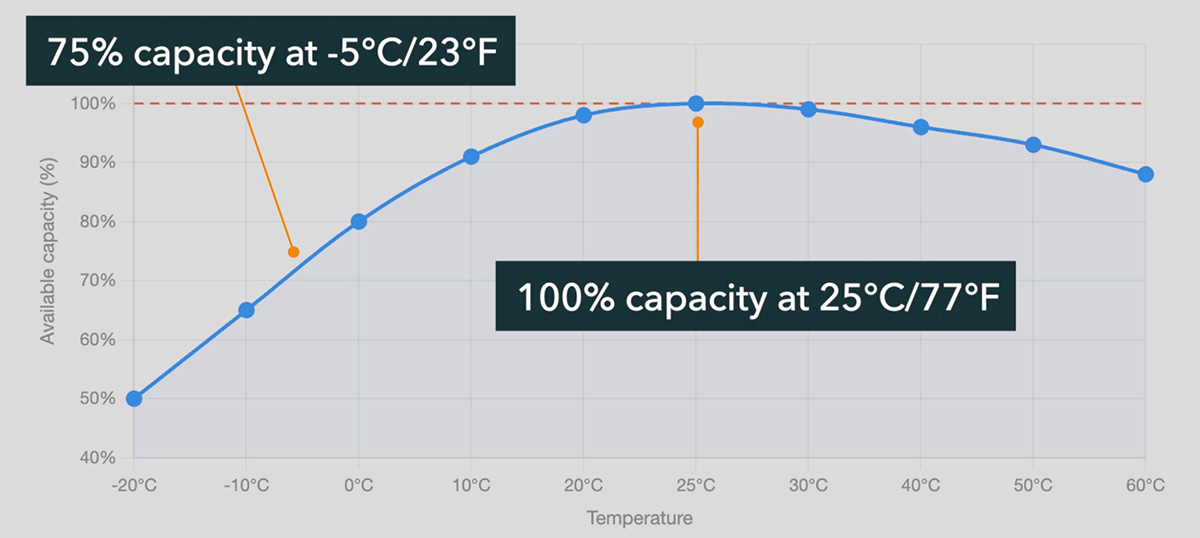
Carry a spare battery, and keep it warm too. A spare battery in your bag is good practice. A spare battery in your jacket pocket is better, especially in the cold. Note that most portable USB power banks don't deliver enough wattage to charge Nikon batteries in-camera, so a physical spare is more reliable than counting on a power stick.
Start every shoot with a full charge. Batteries left sitting in a bag for weeks will slowly self-discharge. Charge everything immediately before any planned shoot.
Quick Reference
| Category | Action |
|---|---|
| Display | Lower monitor brightness; add to i menu for quick access |
| Display | Set monitor mode to Prioritize Viewfinder (1) |
| Display | Turn off Picture/Image Review |
| Focus | Turn off AF assist lamp |
| Focus | Use AF-S or MF instead of AF-C when possible |
| Focus | Set up back button focus |
| Misc | Enable Airplane Mode |
| Misc | Turn off Vibration Reduction when not needed |
| Misc | Enable Energy Saving for Photo Mode |
| Habits | Practice shutter discipline |
| Habits | Keep batteries warm in cold weather |
| Habits | Carry a spare battery; start every shoot fully charged |
Want to dive into your Nikon Z camera settings even further? Check out this collection of Nikon Z camera courses. Blog readers save 20% with the code "blog20".
Please leave any questions, comments, or additional tips below.