
Disclosure: This post may contain affiliate links. I earn a small commission of product sales to keep this website going.
The RAW vs JPEG discussion gets treated like a debate with a “right” answer, but the truth is a lot simpler: there’s no best format, only what’s best for you and the way you shoot.
Treat this as a big-picture guide rather than a technical comparison. No bit-depth charts, no pixel-peeping. Just practical advice for travelers who want to come home with great images and enjoy the process.
What’s the Difference Between RAW and JPEG?
The simplest way to think about it:
- RAW = the negative
- JPEG = the finished print
RAW
A RAW file contains:
- The unprocessed light that hit the sensor
- Maximum highlight and shadow data
- All your flexibility for editing
It’s your “digital negative.” You must process it, just like a film negative.
JPEG
A JPEG is:
- A processed photo
- Sharpening, color, noise reduction, and contrast already applied
- Ready to use right out of the camera
Your camera’s internal JPEG processing is the digital darkroom.
Neither one is better. They simply serve different needs.
Which Is Better for Travel Photography?
Better for you depends on your goals.
Let’s use a film analogy…
If you walk out of the darkroom with a print and throw the negative away, you’re stuck with that version forever.
Change your taste later? Want to open up the shadows? Tone the highlights? You’re now editing the print, not the negative – and the file degrades with every major change.
RAW keeps the negative intact. JPEG is the print from that moment in time.
But that doesn’t mean JPEG is wrong. It simply means JPEG “locks in” more decisions.
Why JPEG Can Be Completely Good Enough
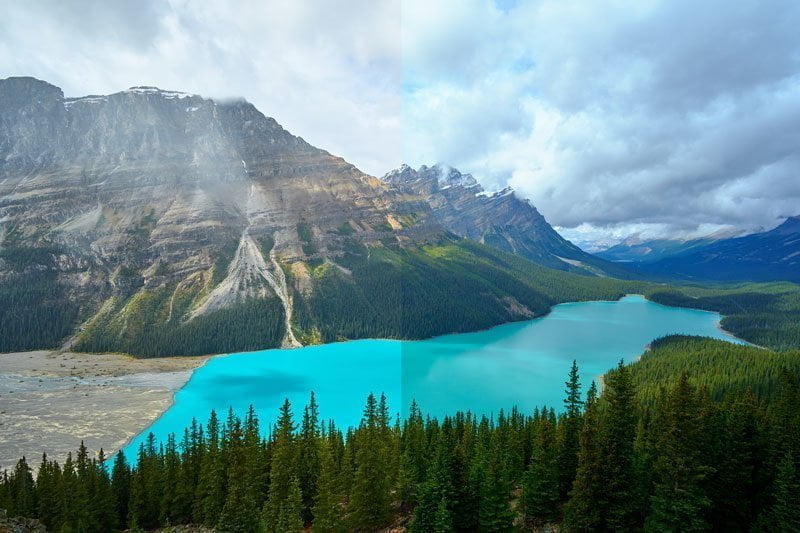
The left half is a processed RAW while the right is a custom JPEG setting with the saturated Velvia film simulation out of an X-T1. Which is better? There is no better, just different tastes.
I used to shoot RAW exclusively when I was a Canon and Sony shooter. I didn’t like their JPEG processing, and I wanted more control.
That changed when I moved to Fujifilm.
Fuji’s JPEG capabilities are excellent. With the right in-camera settings (my recipes, film sims, tone curve, color chrome, etc.), I can create JPEGs I’m genuinely happy with straight out of the camera.
JPEG makes sense for:
- Fast travel shooting
- Social media and web use
- Quick sharing
- When you enjoy the creative process in-camera
- When the camera’s JPEG look matches your vision
And if anyone tells you that “pros don’t shoot JPEG,” ignore them.
Sports photographers, photojournalists, and agency shooters often rely on JPEGs because speed matters more than flexibility. They’re still pros.
If you want to dive deeper into Fuji’s JPEG workflow, I cover it step-by-step in the Perfect Fujifilm In-Camera JPGs course.
Why I Still Always Record the RAW File
Even though I love Fuji’s JPEGs, I still record RAW+JPEG (or RAW-only when needed). Here’s why:
1. I can reprocess the JPEG if I don’t like the in-camera look
Fujifilm lets you reprocess RAW files in-camera, producing a brand-new JPEG with different settings.
2. I often revisit older photos
My tastes change over time. I prefer going back to the “negative” rather than editing an old JPEG I’ve already pushed around.
3. Some scenes simply need RAW
- High-contrast light
- Difficult white balance situations
- Scenes with deep shadows or tricky color casts
RAW gives me that safety net.
4. You never know which image will matter
If I take a career-changing photo, I want the original data.
RAW+JPEG gives me:
- The “print” immediately
- The negative for later
- A faster travel workflow
If you want ideas on managing both file types, I have an entire post on RAW+JPEG workflow you can read.
Pros and Cons of RAW vs JPEG
RAW Advantages
- Much more dynamic range
- Recoverable details in shadows and highlights
- Best for fine art prints or large enlargements
- Required by many photo competitions
- Maximum flexibility later
RAW Disadvantages
- Large file sizes
- Slower processing
- More storage required
- Slower workflow while traveling
JPEG Advantages
- Small file sizes
- Immediately usable
- Consistent look across thousands of images
- No editing required
- Saves massive time on the road
- Beautiful results on Fuji cameras, especially when using film sims
JPEG Disadvantages
- Not ideal for big prints or tricky lighting
- Little highlight/shadow recovery
- Edits degrade the file more quickly
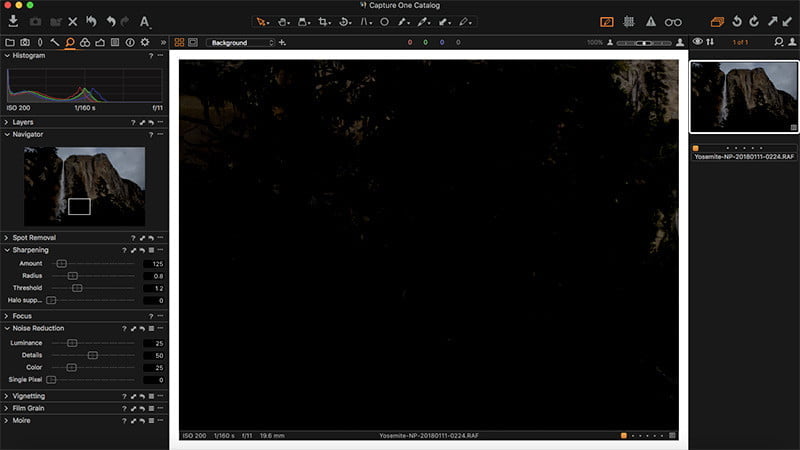
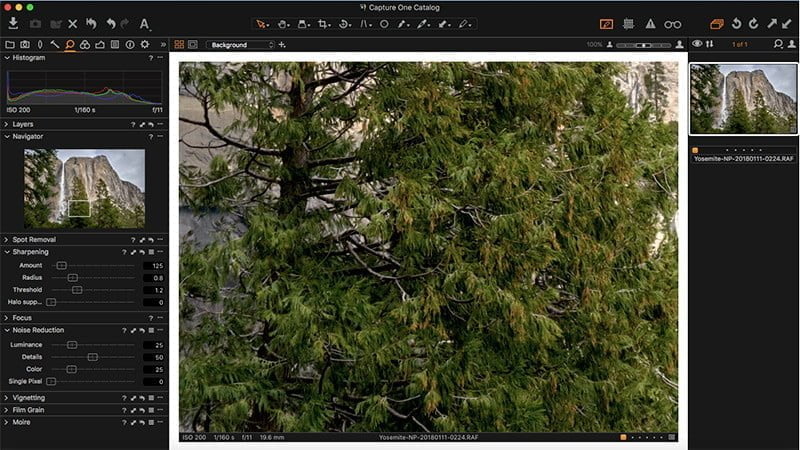
So Should You Shoot RAW, JPEG, or Both?
It depends on the situation:
Shoot RAW when:
- You’re printing large
- The light is tricky
- You want maximum control after the fact
- You enjoy the digital darkroom side of photography
Shoot JPEG when:
- You want clean, consistent photos straight out of camera
- Speed matters
- You’re shooting for travel, social, documentary work
- You enjoy Fuji’s film simulation workflow
Shoot RAW+JPEG when:
- You want the best of both
- You love Fuji’s JPEGs but still want the flexibility of RAW
- You want a fast travel workflow without giving up the negative
RAW+JPEG is my default for travel. JPEG gives me my “print” instantly; RAW preserves my options.
Final Thoughts
There’s no right answer to the RAW vs JPEG discussion. There’s just the workflow that feels right to you.
If you’re happy with your JPEGs, use them.
If you love the flexibility of RAW, use it.
If you enjoy having both, do that.
The important thing is that you understand the strengths and the tradeoffs so you can choose intentionally.
If you want help dialing in your Fujifilm JPEG workflow – including film simulations, tone curve, color chrome, and custom presets – you can check out the Perfect Fujifilm In-Camera JPGs course.
And if you’re getting deeper into Fujifilm and want guidance on setting up your camera properly, you can browse all Fujifilm courses and tutorials here.
What do you prefer when you travel – RAW, JPEG, or both? Let me know below.
How Artificial Intelligence can help the photographer who shoots with RAW + JPEG – Tristan Romain Renaud
Wednesday 29th of November 2023
[…] Do You Shoot in RAW, JPEG, or Both in Travel Photography? (jmpeltier.com) […]
Ellie
Monday 14th of August 2023
This is probably the most well-written photography article I’ve ever read. Thank you for breaking things down so easily. Just saved your website in my notes for reference moving forward!
John Peltier
Tuesday 15th of August 2023
You're too kind, I have a hard time believing that, but thank you! :)
Kelly
Friday 14th of April 2023
I've always debated this question:
-- Do I keep the JPEGs AND RAWs for eternity, assuming that I am using the camera-created JPEGs for immediate sharing, pinterest, whatever, but still plan to edit the RAWs? -- Does it make sense to delete any camera-created JPEGs after editing your RAWs, and you've created your own JPEGs from the edited versions? IOW, you no longer have use for the camera-created JPEGs.
I'm assuming that the original RAWs should be saved/archived just like negatives, and the edited RAWs basically become your new JPEGs (if you save them as JPEGs, of course)?
Sorry, that was more than one question :) Let me know if I should clear up my questions to make them more understandable :)
John Peltier
Friday 14th of April 2023
Great question! This topic is actually on my publication calendar :)
I'll share the JPGs straight out of the camera, when appropriate, before I get a chance to process the RAW files - if those RAW files even need processing. When I get home I transfer all of my photos (RAWs & JPGs) to my computer and go through them. Within each shoot/trip folder, I have a "processed" folder where my final images (JPGs) are stored. Those are either JPGs that came out of the camera to my liking or from RAW files processed on the computer. I delete all of the other JPGs after that. Even though they're small files, the storage quickly adds up! I hope that makes sense!
How Artificial Intelligence can help the photographers who want to shoot RAW+JPEG – Tristan Romain Renaud
Thursday 9th of June 2022
[…] Do You Shoot in RAW, JPEG, or Both in Travel Photography? (jmpeltier.com) […]
Shubham
Sunday 12th of September 2021
hi, my photos that i shoot are of 1-2 mb, is it the settings fault?