Disclosure: This post may contain affiliate links. I earn a small commission of product sales to keep this website going.
Flexible Program is one of the most underrated features in Nikon Z cameras, but it has some quirks that can make it seem broken when it’s actually working as designed. Here’s what you need to know.

What Is Flexible Program?
Program Auto (P mode) is the exposure mode where the camera automatically selects both aperture and shutter speed for you. It’s great when depth of field and motion blur aren’t priorities. Think distant landscapes, run-and-gun shooting, or when you just want to get out of full Auto without managing every setting manually.
Flexible Program takes P mode one step further. By rotating the Main (rear) command dial, you can cycle through different aperture/shutter speed combinations for your set Exposure Compensation value. A small asterisk appears next to the P on screen to show Flexible Program is active. Want a smaller aperture for more depth of field? Rotate the dial. Need a faster shutter speed to freeze motion? Rotate the dial. You stay in Program Auto the whole time. You’re just shifting the aperture/shutter combination.
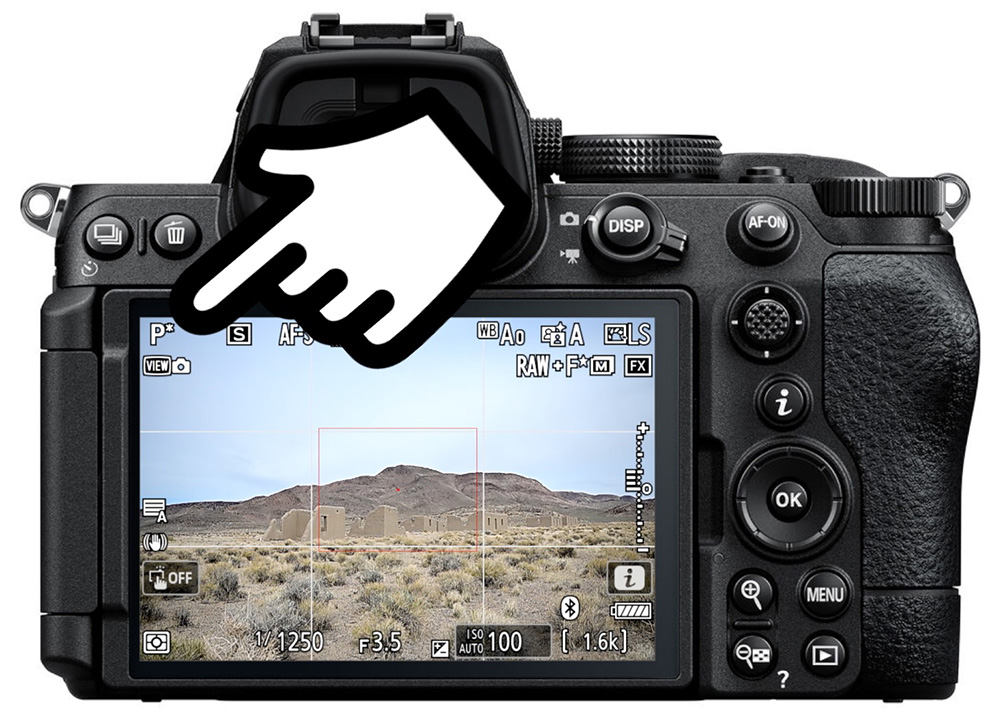
But sometimes it may seem like it’s not working.
Problem #1: Flexible Program Stops Working with Auto ISO
This is the most common issue, and it comes down to how Auto ISO interacts with Program Auto mode.
Normal behavior (manual ISO): With a fixed ISO, rotating the command dial cycles through every available aperture/shutter speed combination from wide open to fully stopped down, exactly as expected.
With Auto ISO, it’s more complicated. There are two scenarios:
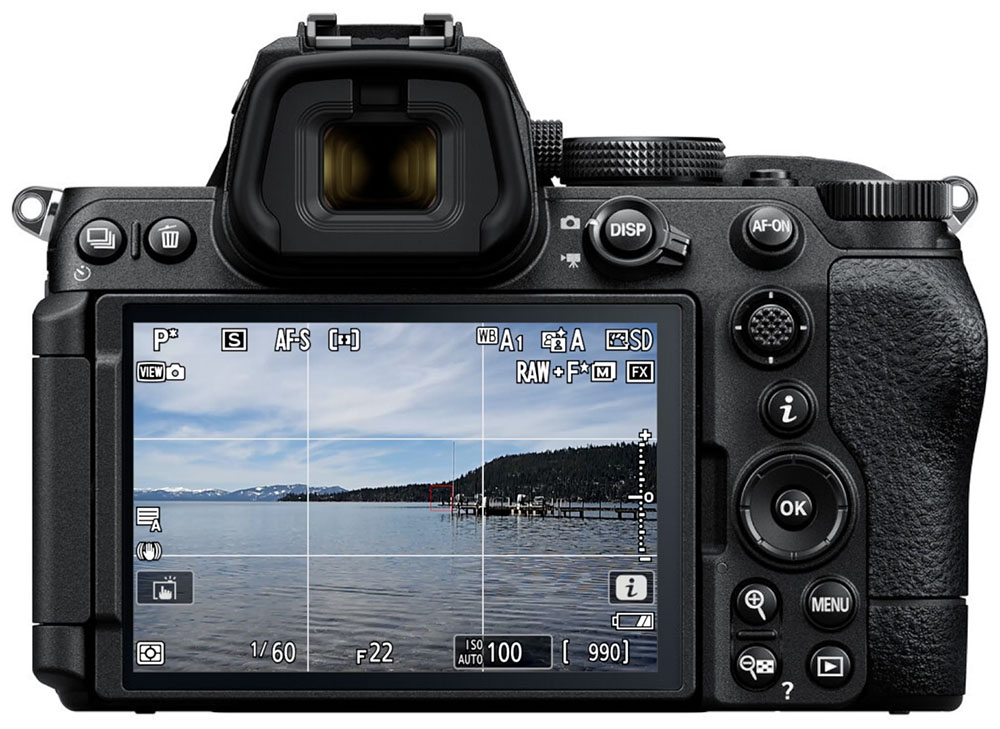
In a bright scene: As you close the aperture, you’ll hit a wall where the aperture simply won’t stop down any further. The reason: your minimum shutter speed setting. Once the shutter speed reaches its programmed minimum (say, 1/200s), the camera won’t slow it down further. But instead of raising ISO to compensate like it normally would in Aperture or Shutter Priority, it just stops. You’re stuck at your minimum shutter speed and minimum ISO simultaneously, so Flexible Program runs out of options.
Here, the aperture won’t close down past f/13 because doing so would require a shutter speed slower than my programmed Auto ISO Minimum shutter speed at the minimum ISO:
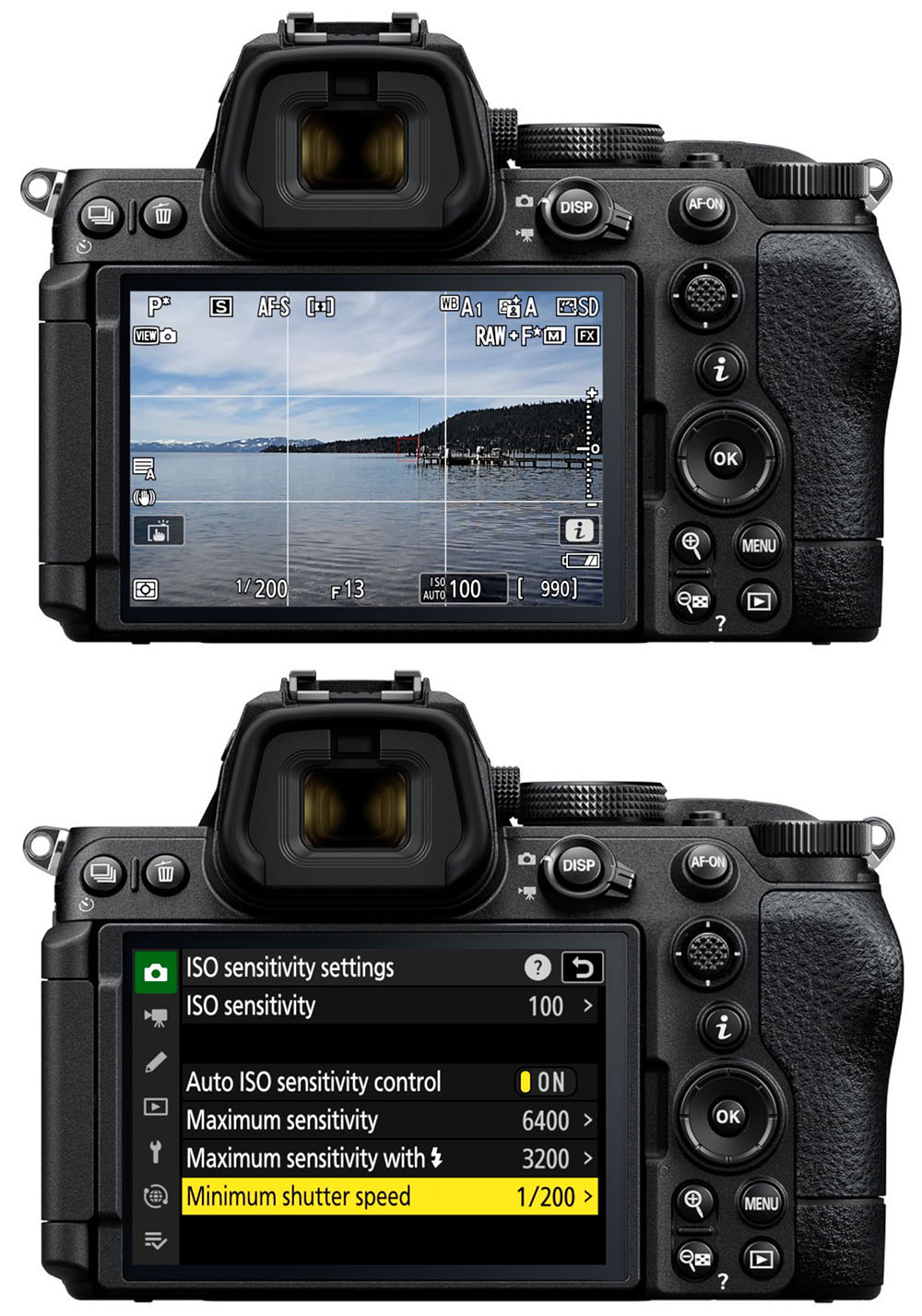
In a dark scene: Flexible Program won’t work at all. You can rotate the dial and see the asterisk appear, but the aperture and shutter speed won’t change. That’s because Auto ISO has already raised the ISO above your programmed minimum, and in that state, the camera simply won’t shift the aperture/shutter speed combination.
The fix: Unfortunately, you can’t use Auto ISO the same way you would in Aperture Priority or Shutter Priority. You have two practical options:
- Set your minimum shutter speed to something very slow (like 1/2s) in the Auto ISO menu. This gives you the full range of Flexible Program combinations, with ISO staying at its minimum throughout.
- Switch to a manual ISO when you want to use Flexible Program normally.
It’s a quirky limitation of how Nikon Z cameras handle Auto ISO in P mode, but once you know about it, it’s easy to work around.
Problem #2: You’re Using the Wrong Command Dial
This one is simpler and less common, but worth checking if Flexible Program doesn’t seem to respond at all.
To verify which dial is assigned to Flexible Program, navigate to the Custom Settings Menu (pencil icon) > f Controls > f2 Custom controls > Command Dials.
Some cameras will then show an Exposure Setting screen where you can see (and change) which dial does what in each exposure mode. On the Z5 II, for example, the default setup assigns Flexible Program to the Main command dial and exposure compensation to the sub command dial. You can swap these by pressing up or down on the pad.
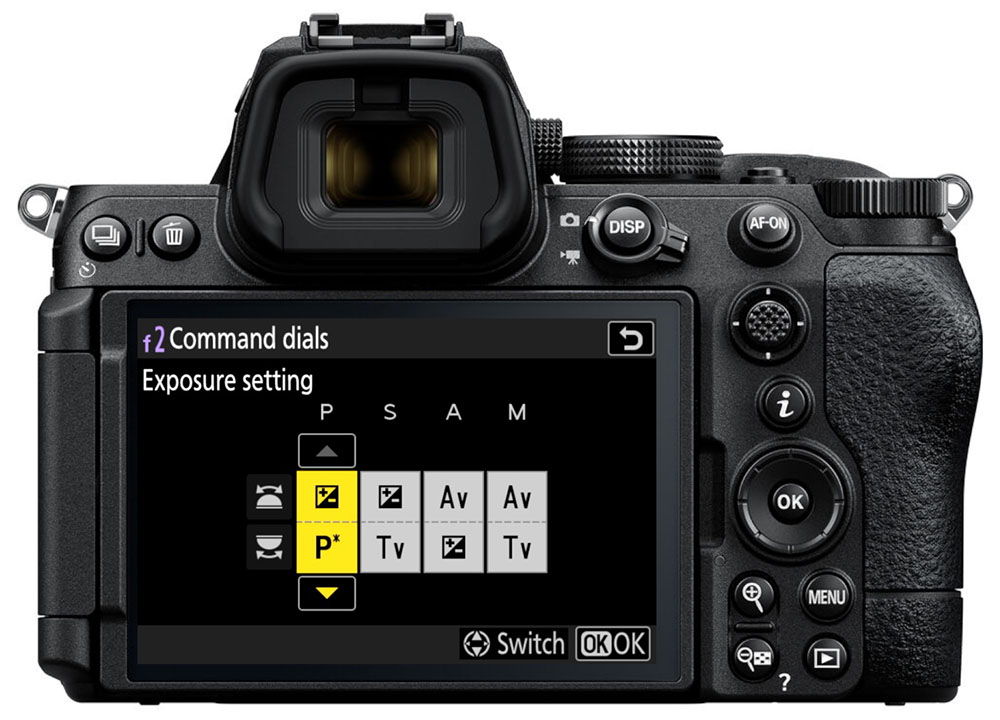
Note that Flexible Program won’t appear as an assignable option in Shutter Priority, Aperture Priority, or Manual. It only exists in Program Auto, so those modes will show different options.
Quick Summary
- Activate Flexible Program: Rotate the Main (rear) command dial while in P mode and look for the asterisk next to P.
- Auto ISO + bright scene: Flexible Program stops working once you hit the minimum shutter speed and minimum ISO simultaneously. Fix by setting a slower minimum shutter speed.
- Auto ISO + dark scene: Flexible Program won’t work at all if ISO is already above its minimum. Use manual ISO instead.
- Wrong dial: Check Custom Settings f2 to confirm which dial is assigned to Flexible Program.
Ready to dive deeper into your Nikon Z camera? Get 20% off all of my Nikon Z courses using the code “blog20.”