
Disclosure: This post may contain affiliate links. I earn a small commission of product sales to keep this website going.
If your front command dial isn’t doing what you expect, you’re not alone. This is one of the most common frustrations among Fujifilm shooters, and the fix is simpler than you might think.
The short version: the front command dial is context-sensitive. It doesn’t just do whatever you program it to do; it also depends on how your other physical controls are configured. Once you understand that, it becomes much more intuitive to use.

What the Front Command Dial Actually Does
On most Fujifilm cameras, the front command dial can be pushed in. Each push cycles through up to four functions you’ve programmed into it, such as aperture, shutter speed, ISO, film simulation, or exposure compensation.
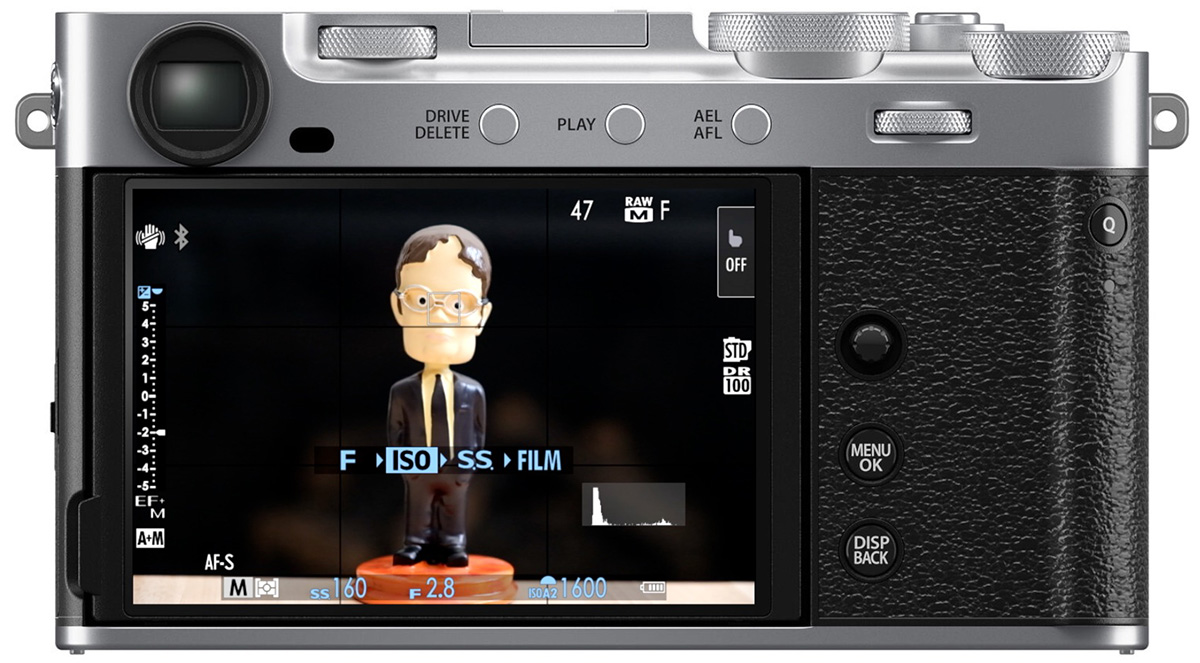
When the function you want is highlighted, a small semicircle appears next to that variable on your shooting screen. That’s your cue that rotating the dial will change it.
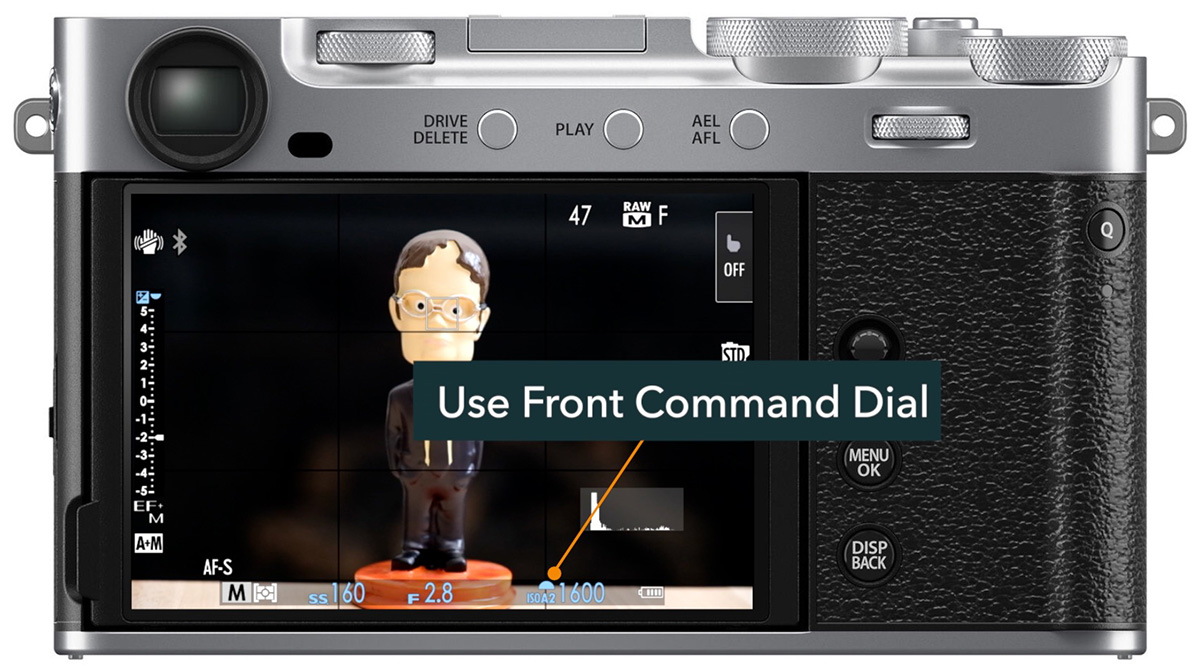
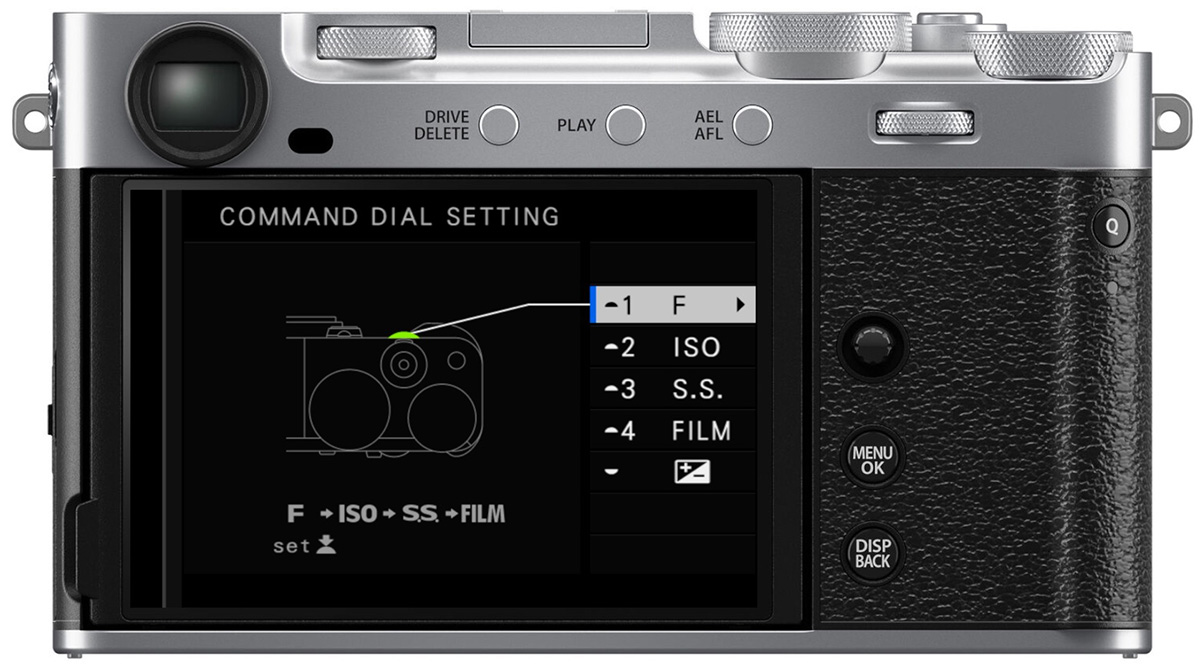
To program your four functions, go to: Menu > Setup Menu > Button/Dial Setting > Command Dial Setting
Shortcut: press and hold the front command dial while shooting, and the programming screen comes up directly.
Why You Might Only See Two or Three Options
Each function has a condition that must be met before it shows up as an available option. If the condition isn’t met, that function won’t appear when you push the dial.
Here’s what each one requires:
Aperture (F)
- If your lens has no aperture ring, aperture is always available.
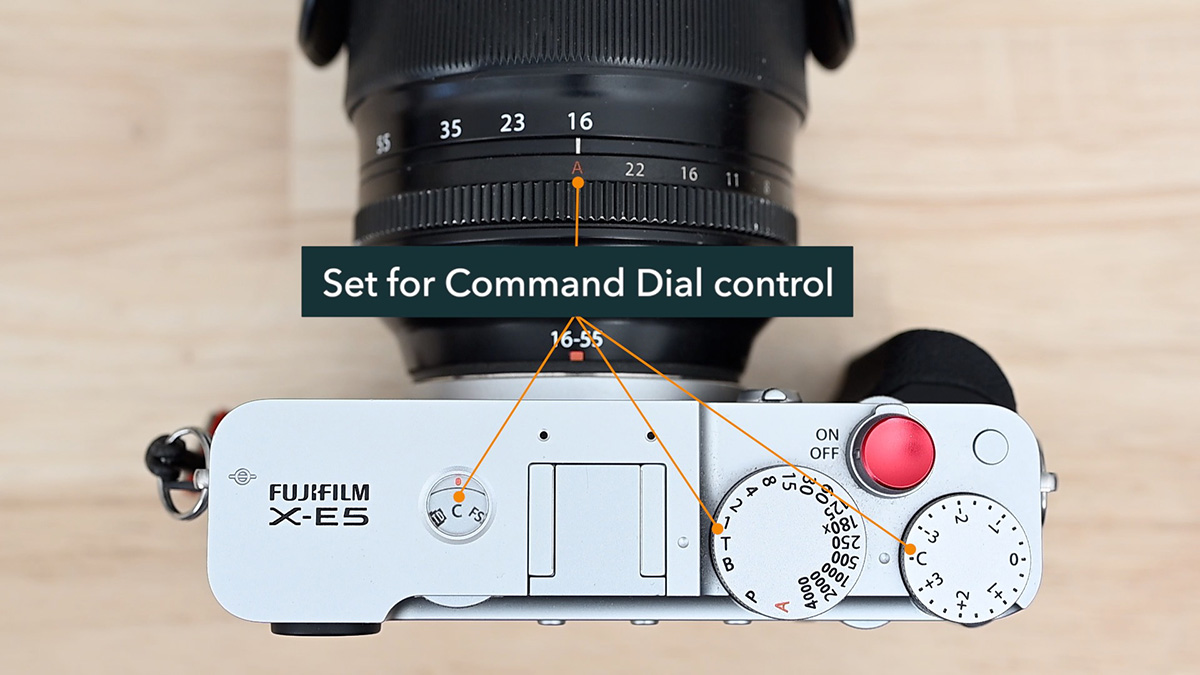
- If your lens has an aperture ring or switch, set it to A (auto).
- Then in the Button/Dial Setting menu, set Aperture Ring Setting (A) to Command (not Auto). Without this, the A position just locks you into auto-aperture.
Shutter Speed (SS)
- For full range control, set the shutter speed dial to T (Time).
- If you’re at a fixed shutter speed, you can still use the dial to refine in third stops, but you need S.S. Operation set to On in the Button/Dial Setting menu.
- In Program Auto mode, this position becomes Program Shift. Note: Program Shift is disabled if Dynamic Range is set to Auto.
ISO
- If your camera has no dedicated ISO dial, ISO is always available.
- If it has an ISO dial, set it to C (Command).
Exposure Compensation
- Same logic. If you have an exposure compensation dial, set it to C.
Film Simulation
- If you have a film simulation dial, set it to C.
The pattern: for ISO, exposure comp, and film sim dials, set them to C. For the shutter speed dial, set it to T. For the aperture ring or switch, set it to A, then change the Aperture Ring Setting to Command.
Accidental Changes: How to Prevent Them
The front command dial is easy to accidentally rotate. You can brush against it mid-shoot and suddenly find yourself on ISO 12,800 without knowing it.
The most reliable fix is the lock feature.
Press and hold the Menu/OK button while shooting to lock your selected controls. Hold it again to unlock. The lock stays active even when you power the camera off and back on.
To choose what gets locked, go to: Button/Dial Setting > Lock > Function Selection
You can lock individual exposure variables (like just ISO), or you can check F Dial to lock the entire front command dial so it won’t push or rotate at all when locked.
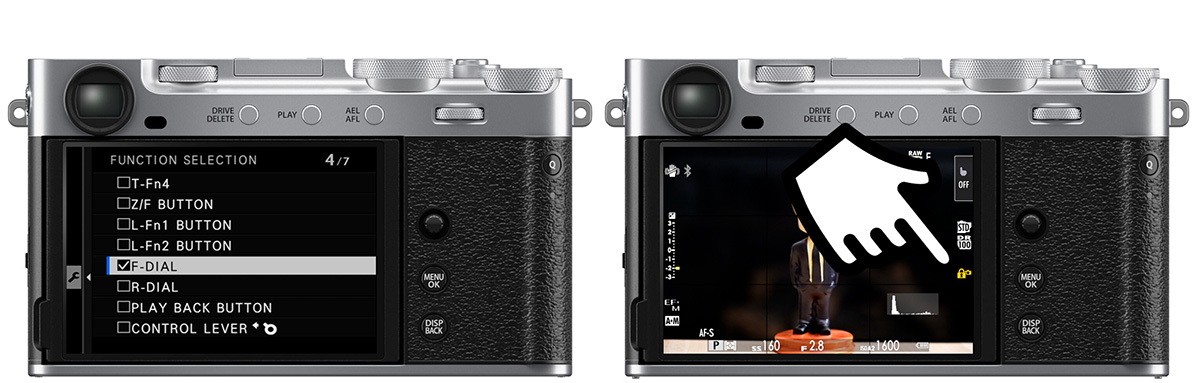
This does add a step to your workflow, but if accidental changes are a real problem for you, it’s the only reliable solution.
Quick Reference: What Needs to Be Set Where
| Function | What you need |
|---|---|
| Aperture | Aperture ring/switch to A, Aperture Ring Setting (A) set to Command |
| Shutter Speed | Shutter dial to T (or S.S. Operation On for fine-tuning) |
| ISO | ISO dial to C (or no dedicated dial) |
| Exposure Compensation | EC dial to C (or no dedicated dial) |
| Film Simulation | Film Sim dial to C (or no dedicated dial) |
Want to Learn More?
If you want to fully understand your Fujifilm camera’s controls and menus, check out the Fujifilm camera tutorial courses. Use code TUBE20 for 20% off.
Please let me know if you have any questions or comments below.